Do you need help & advice with Tech Tips / How-To or IT Management?
Trying to figure out if your IT setup is actually any good can feel like a puzzle. You’ve got all these bits and pieces – servers, networks, software – and you want to make sure they’re working well and safely. It’s not just about having the tech; it’s about having it set up the right way. So, how do we check whether our Information Technology setup follows best practice? Let’s break down some key areas to look at.
Key Takeaways
- Check your network layout and security measures, like firewalls and intrusion systems, to make sure they’re robust and properly configured.
- Verify that all your IT systems and processes are well-documented, including network maps and step-by-step guides for common tasks.
- Assess how well your systems are performing and plan for future needs, considering busy periods and growth.
- Review your security tools and defences to confirm they’re working effectively against current threats and match your company’s risk level.
- Confirm that changes to your IT systems are managed properly, with clear processes for testing and approval to avoid problems.
Assessing Network Architecture And Security
Right then, let’s talk about your network. It’s basically the backbone of everything your business does digitally, so making sure it’s solid and secure is pretty important. We’re not just talking about plugging things in and hoping for the best; it’s about having a sensible design and keeping a close eye on who’s doing what.
Reviewing Network Topology And Segmentation
First off, do you actually know what your network looks like? I mean, a proper map? It sounds basic, but you’d be surprised how many places don’t have an up-to-date diagram. Without knowing how everything’s connected, you can’t really secure it properly. This means looking at all your routers, switches, and how they talk to each other. Segmentation is key here too. Think of it like putting up walls inside your building. You don’t want a problem in the break room to affect the main server room, do you? Using things like VLANs helps keep different parts of your network separate. This is a good way to stop a small issue, like a virus on one computer, from spreading everywhere. It’s a bit like having different departments in your company, each with its own access controls.
- Map it out: Get a clear, current diagram of your entire network. This should show all devices, connections, and network segments.
- Segment wisely: Use VLANs or similar tech to isolate different types of traffic and devices (e.g., guest Wi-Fi, internal servers, IoT devices).
- Check physical security: Don’t forget about the actual server room – is it locked? Is the cabling tidy and secure?
A common mistake is letting the network grow organically without a plan. This often results in a tangled mess where a single security breach can spread like wildfire, causing major disruption.
Evaluating Firewall Rules And Perimeter Defences
Your firewall is like the main gatekeeper for your network. It decides what traffic gets in and out. So, those rules need to be sensible. Are there old rules that are no longer needed? Are you allowing too much traffic through with overly broad settings, like "any to any"? That’s generally not a good idea. We also need to check that default passwords on network gear have been changed – seriously, don’t leave those on! Logging is another big one; you need to see what your firewall is actually doing. If you’re looking for ways to improve your network, checking out network assessment tips can be a good start.
Examining Intrusion Detection And Prevention Systems
Firewalls are good, but they’re not the whole story. Intrusion Detection Systems (IDS) and Intrusion Prevention Systems (IPS) are like your security guards who are actively watching for suspicious activity. Are these systems actually turned on and monitoring the right traffic? It’s also important that the alerts they generate are useful. If they’re too sensitive, you’ll get swamped with notifications and miss the real problems (that’s called alert fatigue). If they’re not sensitive enough, you might miss an actual attack. Making sure these systems are properly tuned and that you have a plan for what to do when they do flag something is a big part of keeping your network secure.
Here’s a quick look at what to check:
| System | What to Verify |
|---|---|
| Firewall | Rule review, default password changes, logging enabled |
| IDS/IPS | Configuration, alert tuning, threat feed updates |
| Network Devices | Firmware updates, access controls, physical security |
It’s all about having layers of defence, so if one thing fails, another is there to catch it.
Verifying Documentation And Knowledge Management
Right, so you’ve got your IT systems humming along, but how do you actually know what’s what? This is where documentation and knowledge management come in. It’s not just about having a few Word docs lying around; it’s about creating a clear, accessible map of your entire IT landscape. Without good documentation, you’re essentially flying blind, especially when things go wrong.
Creating And Maintaining Network Diagrams
Think of network diagrams as the blueprints for your IT setup. They show how everything connects – servers, routers, switches, the whole lot. Keeping these up-to-date is a bit of a chore, I’ll grant you, but it’s absolutely vital. If a server suddenly goes offline, a clear diagram helps you pinpoint where the problem might be without having to trace cables physically or guess wildly. We’re talking about visual representations that detail IP addressing schemes, VLAN configurations, and the physical locations of key hardware. It’s not just about drawing lines; it’s about understanding the flow of data and the dependencies between different parts of your network. A good diagram can save hours, if not days, of troubleshooting time. For a more in-depth look at how to get this right, check out these IT documentation best practices.
Developing Step-By-Step Runbooks
Runbooks are your step-by-step guides for common tasks or troubleshooting scenarios. Imagine a new member of the IT team needs to set up a new user account, or perhaps a printer has stopped working for a whole department. Instead of them fumbling around or having to interrupt a senior colleague, a runbook provides clear, concise instructions. This could cover anything from:
- Onboarding a new employee, including account creation and software access.
- Troubleshooting common network connectivity issues.
- Performing routine system maintenance tasks.
- Responding to specific types of security alerts.
These guides should be written in plain English, assuming the reader has a basic IT understanding but isn’t necessarily an expert in that specific area. They should be easily searchable and accessible, perhaps through a central knowledge base. This approach really helps to standardise processes and reduce the risk of errors.
Establishing A Documentation Review Cycle
Documentation isn’t a ‘set it and forget it’ kind of thing. Your IT environment changes constantly, so your documentation needs to keep pace. You need a formal process for reviewing and updating everything regularly. This could be quarterly, semi-annually, or even monthly for critical systems. Assigning ownership for different pieces of documentation is a good idea; that way, someone is specifically responsible for keeping their section accurate. It’s about building a culture where documentation is seen as an ongoing, active part of IT operations, not just a one-off project. This helps to avoid the dreaded situation where your documentation is so out of date it’s actually misleading. You can find more on implementing effective IT documentation which covers setting standards and using the right tools.
Evaluating System Performance And Capacity
Right then, let’s talk about making sure your IT systems aren’t just ticking over, but actually running smoothly and have room to grow. It’s easy to get caught up in the day-to-day, fixing things as they break, but a truly well-run setup looks ahead. We need to know how things are performing now and what they’ll need later.
Establishing Performance Baselines And Alerts
First off, you can’t know if something’s slow unless you know what ‘normal’ looks like. This means collecting data on your systems – things like how much processing power (CPU) is being used, how much memory is occupied, how much storage is taken up, and how busy the network is. Doing this for a good chunk of time, say six to twelve months, gives you a solid picture. You’re looking for average usage and those peak times. Once you have this baseline, you can set up alerts. Think of it like a car’s dashboard warning light; you want to know if something’s getting too hot or too strained before it causes a breakdown. Setting thresholds, maybe around 75-80% utilisation for key resources, gives your team a heads-up to investigate or plan upgrades. This proactive approach is key to avoiding those sudden, disruptive slowdowns that can really halt work.
Accounting For Seasonal Business Cycles
Your IT systems don’t operate in a vacuum; they serve a business, and businesses have rhythms. If you’re in retail, you know December is going to be mad. If you’re in education, September might be a big surge. You absolutely have to factor these predictable peaks and troughs into your capacity planning. Ignoring them means your systems will likely buckle under the pressure during your busiest periods, leading to frustrated customers and lost sales. Analysing historical data helps you see these patterns clearly. It’s about making sure your infrastructure can handle the holiday rush or the back-to-school login frenzy without breaking a sweat. This is where understanding your business needs really comes into play.
Integrating Capacity Forecasts With Budgeting
So, you’ve got your performance data, you’ve accounted for those seasonal spikes, and you’ve got a pretty good idea of what your systems will need in the coming months and years. What do you do with that information? You use it to build your budget. Instead of just guessing or waiting until a server is smoking to buy a new one, you can make informed, data-driven decisions. If your forecasts show you’ll run out of storage in 18 months, you can plan and budget for that replacement now. This avoids those nasty surprises and emergency capital expenditure requests. It means your IT budget is a reflection of actual needs, not just wishful thinking. It’s about being smart and organised, so you’re not caught out.
It’s a common mistake to think that because a system is working, it’s performing optimally. Often, systems are running close to their limits, and it’s only when a small, unexpected increase in demand occurs that the performance issues become glaringly obvious, leading to outages. Having clear performance metrics and forecasts helps prevent this reactive firefighting.
Here’s a quick look at what you should be aiming for:
- Documented Baselines: Clear records of normal performance for all critical systems.
- Defined Alert Thresholds: Specific limits that trigger notifications before problems arise.
- Capacity Forecast Reports: Projections of future resource needs, ideally with at least a 12-month outlook.
- Regular Review: A process for looking at this data and adjusting plans as needed.
By keeping a close eye on system usage and planning ahead, you’re not just keeping the lights on; you’re building a robust and scalable IT foundation that supports the business effectively.
Reviewing Cybersecurity Controls And Threat Detection
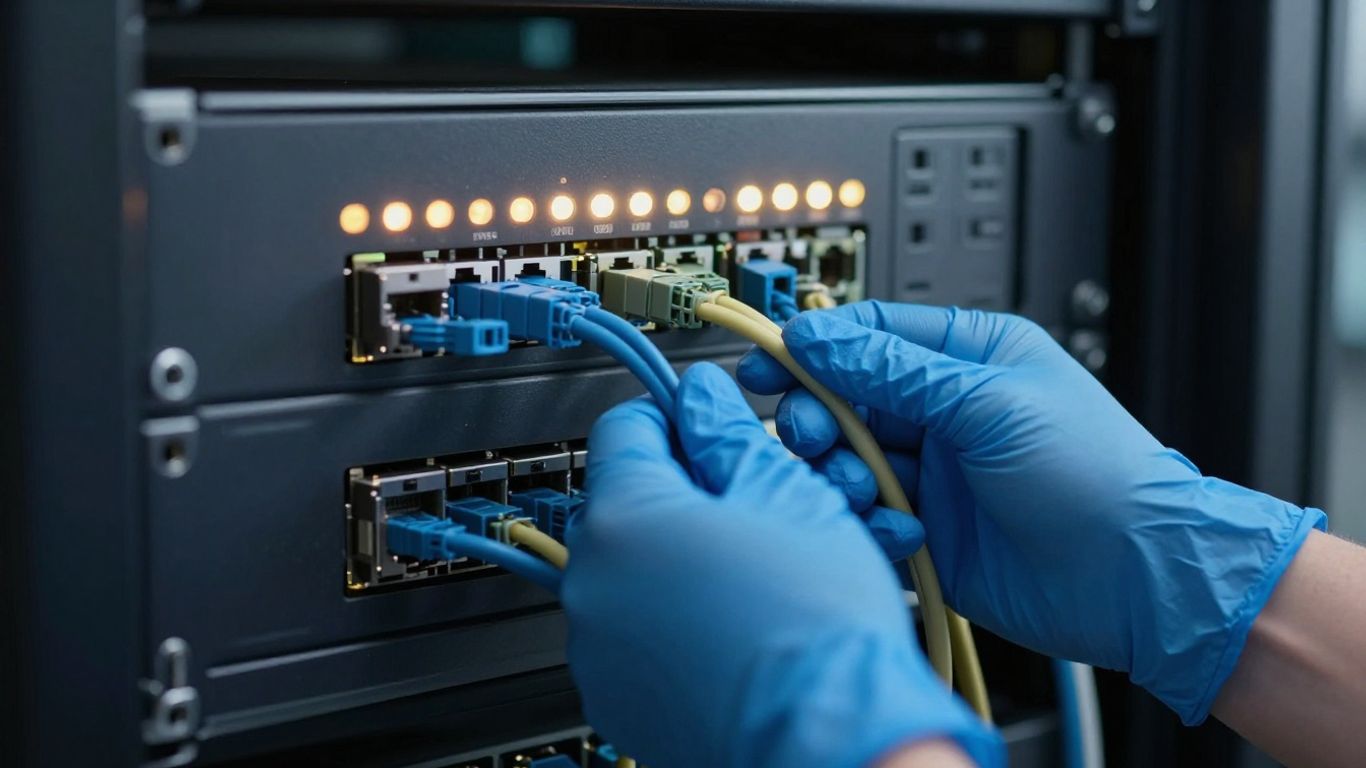
When we talk about checking if our IT setup is up to scratch, looking at our cybersecurity controls and how we spot threats is a big one. It’s not just about having the latest gadgets; it’s about making sure they actually work and are set up right.
Inspecting Layered Security Defences
Think of this like a castle. You wouldn’t just have one big wall, would you? You’d have a moat, outer walls, inner walls, and guards. Our IT setup should be similar. We need multiple layers of defence so that if one fails, another is there to catch the problem. This means looking at everything from the basic firewall rules, which are like the main gate, to more advanced stuff like antivirus and Endpoint Detection and Response (EDR) systems on every computer. We need to check that these are all configured correctly and talking to each other. Are all network entry points covered? Are all our devices protected? It’s about building a robust, multi-layered defence.
Validating Operational Effectiveness Of Security Tools
Having security tools is one thing, but making sure they’re actually doing their job is another. A common mistake is to install software and then forget about it. We need to check that our Intrusion Detection Systems (IDS) and Intrusion Prevention Systems (IPS) are properly configured and actively watching our network traffic. Are the alerts tuned correctly? Too many alerts, and your team gets swamped (alert fatigue); too few, and you might miss a real threat. We also need to make sure our threat intelligence feeds are up-to-date and integrated. The real test is seeing if we can actually respond to detected intrusions within a reasonable timeframe. This is where regular testing comes in. We should be running drills, not just assuming things will work when an actual incident happens. It’s about confirming that our security stack functions as a proper defence system, capable of spotting and reacting to bad activity.
Ensuring Alignment With Business Risk Tolerance
Ultimately, our cybersecurity measures need to match the level of risk the business is willing to accept. This isn’t a one-size-fits-all situation. A small startup might have different needs than a large financial institution. We need to understand what kind of data is most sensitive and what the impact would be if it were compromised. Then, we can assess if our current controls are sufficient. Are we protecting our most valuable assets adequately? This involves looking at things like access controls – who can get into server rooms, for example – and making sure only authorised people have access. It also means having clear procedures for visitors and tracking physical IT assets. We should also review how we securely dispose of old hardware and storage media, because data leaks can happen even after equipment is retired.
It’s easy to get caught up in the technical details of security tools, but we mustn’t forget the human element. Even the best systems can be bypassed if people aren’t security-aware. Regular training on things like phishing and social engineering is vital, and we need to check that participation rates are good, especially for those in high-risk roles. We should also look at how we measure and encourage secure behaviour, not just tick a training box.
Here’s a quick look at what to verify:
- Firewall Rules: Review for unnecessary open ports.
- Endpoint Protection: Confirm antivirus and EDR policies are applied and updating.
- IDS/IPS Alerts: Test with benign scans to check alert generation.
- Log Collection: Verify logs from security devices are sent to a central platform like a SIEM.
- Access Controls: Examine physical and logical access to sensitive areas and systems.
- Training: Assess security awareness program currency, delivery cadence, and participation rates. Cybersecurity best practices are key here.
- Incident Response: Evaluate the ability to respond to detected intrusions within acceptable timeframes. This ties into effective threat detection and response strategies.
Examining Change Management And Configuration Control
Right, let’s talk about how we manage changes to our IT systems. It might not sound like the most exciting topic, but honestly, it’s where a lot of IT headaches start. Uncontrolled changes are a major reason for systems going down or, worse, security breaches. Think of it like renovating your house without a plan – you might end up with a leaky roof or a door that won’t close properly. Change management is basically the formal process for making any modification, big or small, to your IT setup. It makes sure every change is written down, tested, and approved before it actually happens. This stops those chaotic, ‘cowboy IT’ moments where someone just makes a tweak without telling anyone, and then everything breaks.
Formalising Modification Processes
First off, you need a clear process. This isn’t just a suggestion; it needs to be documented and followed. It should cover everything from requesting a change to getting it signed off. We’re talking about having a system where you can track requests, assess what might go wrong, and get the right people to give the nod. This is where IT change management really comes into its own, providing that structure.
- Categorise Changes: Not all changes are equal. You’ll want to sort them into types: standard (pre-approved, low risk, like routine software updates), normal (needs a full review and approval), and emergency (for when things are on fire and need fixing now, but still need some form of approval).
- Impact Analysis: Every change request should have a section that explains what could be affected. Who will it impact? What services might go down? And crucially, how do we undo it if it all goes pear-shaped?
- Change Advisory Board (CAB): Even in smaller teams, having a small group of key people who review and approve non-standard changes is a good idea. They act as a sanity check.
Ensuring Documentation, Testing, And Approval
This is the meat of it. You can’t just say you’ve got a process; you need to prove it. This means keeping records of everything.
- Documentation: Every change needs a record. This should include the request itself, the impact assessment, who approved it, and the plan to roll it back. A ticketing system or a dedicated change management tool can help here.
- Testing: Before a change goes live, it needs to be tested. This might be in a separate test environment or through a pilot group. You need to be reasonably sure it won’t cause problems.
- Approval: Make sure the right people sign off. This isn’t just about getting a name on a form; it’s about confirming that the risks have been considered and accepted.
A manufacturing plant once had to shut down its production line because someone reconfigured a network switch on the fly. No testing, no approval. By putting in a formal change process, they cut down IT-related production issues by over 90% the next year. It really shows how self-inflicted problems can be avoided.
Preventing Disruptive ‘Cowboy IT’ Practices
Ultimately, this whole exercise is about stopping the ‘cowboy IT’ approach. That’s where people make changes without following any rules, often leading to downtime or security holes. A solid change management practice means you have a clear audit trail. If something does go wrong, you can look back and see exactly what changed, when, and by whom. This makes troubleshooting much faster and helps you learn from mistakes. Scheduling changes during planned maintenance windows also helps minimise disruption to the business. It’s all about being organised and professional, not just reacting when things break.
Checking Regulatory Compliance Adherence

Right then, let’s talk about making sure our IT setup isn’t accidentally breaking any rules. It’s easy to get caught up in the day-to-day running of things, but ignoring regulations can land us in a heap of trouble, from hefty fines to a seriously damaged reputation. We need to be proactive about this.
Implementing Required Security Controls
First off, we need to make sure the actual security measures we’ve put in place tick all the right boxes for whatever rules apply to us. This isn’t just about having a firewall; it’s about having the right kind of firewall, encryption where it’s needed, and access controls that actually stop the wrong people from seeing sensitive stuff. Think about it like this:
- Data Protection: Are we encrypting sensitive customer data both when it’s stored and when it’s being sent around?
- Access Management: Is it clear who can access what, and are we regularly checking that those permissions are still appropriate? Multi-factor authentication is a must for anything critical.
- Logging and Auditing: Are we keeping proper records of who did what and when? This is vital for tracking down issues and proving we’re being diligent.
Failing to implement these controls isn’t just a technical oversight; it’s a direct invitation for regulatory scrutiny. We need to treat these requirements as non-negotiable operational necessities.
Developing and Documenting Formal Policies
Having controls is one thing, but we also need to write down exactly how we’re supposed to be operating. This means creating clear, formal policies that cover things like how we handle data, who gets access to what, and what we do when something goes wrong. These aren’t just for show; they’re the rulebook for everyone in the organisation. We need to make sure these policies are:
- Relevant: They should directly address the specific regulations we need to follow, whether that’s GDPR for handling EU resident data or industry-specific rules.
- Accessible: Everyone who needs to know about them should be able to find them easily.
- Understood: We should have some way of making sure staff actually read and understand what the policies mean for their day-to-day work. Training sessions are a good start.
This documentation is key for demonstrating our commitment to compliance. It shows we’ve thought things through and have a plan. You can find some helpful guidance on IT compliance to get started.
Scheduling Regular Compliance Assessments
Finally, we can’t just set and forget. Regulations change, our business changes, and our IT setup changes. So, we absolutely need to build in regular checks to make sure we’re still on the right track. This means scheduling formal assessments, ideally on an annual basis, to review our controls and policies against current requirements. It’s a good idea to use an IT compliance audit checklist to make sure we don’t miss anything. If we find any gaps – and we probably will, nobody’s perfect – we need a clear plan to fix them, and then we need to document that we’ve fixed them. This ongoing process is what keeps us out of hot water and maintains trust with our customers and partners.
Reviewing Disaster Recovery And Business Continuity Plans
Right then, let’s talk about what happens when things go pear-shaped. We’re looking at your Disaster Recovery (DR) and Business Continuity Plans (BCP) here. It’s not just about having backups; it’s about making sure you can actually get back up and running when the worst happens, whether that’s a server meltdown or something more dramatic like a fire. Having a plan that’s been properly tested is the real measure of preparedness.
Implementing The 3-2-1 Backup Rule
This is a bit of a golden rule for backups. It means you should have at least three copies of your important data. These copies need to be on two different types of storage media, and crucially, one of those copies needs to be kept off-site. Think of a cloud storage solution for that third copy. It’s also a good idea to look into immutable backups if you can, as they offer protection against things like ransomware.
Defining And Documenting Recovery Objectives
This is where you sit down with the people who actually run the business and figure out a couple of key things. First, how quickly do you need systems to be back online after an incident? That’s your Recovery Time Objective (RTO). Second, how much data can you realistically afford to lose? That’s your Recovery Point Objective (RPO). You need to write these down clearly and make sure everyone who matters agrees on them. Your whole backup and recovery strategy should be built around meeting these targets. You can find more details on creating a disaster recovery plan that covers these points.
Conducting Regular Plan Testing And Exercises
Honestly, this is the bit most people skip, and it’s a massive mistake. Having a plan on paper is one thing, but does it actually work? You need to be testing it regularly. This could mean doing test restores of random files and servers every quarter. Then, maybe once a year, have a ‘tabletop exercise’ where your team talks through the plan step-by-step to see if it makes sense. And every year or two, you should really be doing a full failover test to simulate a real disaster. A professional services firm found out their backups weren’t working during an audit, but after implementing regular drills, they now pass their quarterly DR tests with flying colours.
It’s easy to think that just having backups is enough. But if you’ve never actually tried to restore from them, or run through your recovery steps, you’re really just hoping for the best. A tested plan is the only way to know for sure that you can recover.
It’s also worth looking at key personnel and objectives when you’re putting these plans together. Making sure everyone knows their role is just as important as the technical steps.
Making sure your disaster recovery and business continuity plans are up-to-date is super important. It’s like having a safety net for your business, so if something unexpected happens, you can get back on your feet quickly. Don’t leave your business’s future to chance; check out our expert advice on keeping your operations running smoothly, no matter what.
Wrapping Up: Keeping Your IT Shipshape
So, there you have it. Checking if your IT setup is up to scratch isn’t a one-off job, it’s more like keeping your house tidy – you’ve got to do it regularly. We’ve looked at a fair few things, from making sure your network is mapped out properly to having solid plans for when things go wrong. It might seem like a lot, but remember, the goal is to move away from just fixing problems as they pop up and instead build a system that’s more reliable and secure from the start. Getting your documentation sorted, keeping an eye on how things are performing, and having clear procedures for changes all play a part. It’s about making sure your technology is actually helping your business run smoothly, rather than getting in the way. Think of it as giving your IT the regular check-ups it needs to keep running well.
Frequently Asked Questions
Why is checking our IT setup important?
Think of your IT setup like the plumbing and wiring in your house. If it’s not installed correctly or maintained, things can break, leak, or even cause a fire! Regularly checking your IT ensures everything runs smoothly, stays safe from online dangers, and helps your business avoid costly problems and downtime.
What does ‘best practice’ mean for IT?
Best practice simply means doing things in the way that’s proven to be most effective and secure. It’s like following a recipe that’s been tested many times to make sure your cake turns out perfectly. For IT, it means using tried-and-true methods for setting up networks, protecting data, and managing systems.
How often should we check our IT systems?
It’s not a one-time job! It’s best to have regular checks. Some things, like security monitoring, should be done all the time. Other checks, like reviewing your entire system or testing your backup plans, can be done quarterly or yearly. Think of it like getting a regular health check-up.
What if we find problems during our check?
Finding problems is the whole point! Once you know what’s wrong, you can fix it. This is called ‘remediation.’ It’s better to fix small issues before they become big, expensive disasters. Your IT team or a specialist can help you create a plan to sort out any issues you discover.
Do we need to be a big company to worry about this?
Absolutely not! Small and medium-sized businesses are often targets for cyberattacks because they might not have the same strong defenses as larger companies. Following best practices is crucial for businesses of all sizes to protect their information and keep running smoothly.
What’s the difference between disaster recovery and business continuity?
Disaster recovery is about getting your IT systems back up and running after something bad happens, like a fire or a cyberattack. Business continuity is broader – it’s about making sure your whole business can keep operating, even if some IT systems are down. Both are super important for bouncing back from tough situations.