

Do you need help & advice with Tech Tips / How-To or Cybersecurity?
So, you’ve probably heard the buzz about passkeys. Maybe you’ve even seen the option pop up when logging into an app. But what exactly are they, and more importantly, should your business ditch passwords for them? It’s a big question, and one that could change how we all log in online. Let’s break down what passkeys are and if they’re the right move for your business.
Key Takeaways
- Passkeys are a new way to log in that doesn’t use passwords. They use your device, like your phone, to prove it’s really you.
- They’re much safer than passwords because they can’t be phished or stolen from websites.
- Using passkeys means you don’t have to remember complex passwords anymore, making logins quicker and easier.
- While passkeys are great, they aren’t everywhere yet, and there are still some things to consider, like what happens if you lose your device.
- Passkeys are seen as the future of online security, and major companies are pushing for them, but passwords won’t disappear overnight.
Understanding Passkeys: A New Era of Authentication
Right then, let’s talk about passkeys. You’ve probably heard the term floating around, and maybe you’re wondering what all the fuss is about. Essentially, passkeys are a new way to log into websites and apps, and they’re designed to be a big step up from the passwords we’ve all been wrestling with for years. They aim to make logging in more secure and a lot less of a hassle.
What Exactly Is a Passkey?
Think of a passkey as a digital key, but instead of a physical piece of metal, it’s a piece of cryptographic information stored securely on your device – like your phone or computer. When you want to log into a service that supports passkeys, you don’t type a password. Instead, you use your device to prove it’s really you. This usually involves something you already do, like unlocking your phone with your fingerprint or face, or entering your device’s PIN.
Passkeys Explained: From Simple Analogy to Technical Detail
Imagine you have a special lockbox (your online account) and a unique key that only opens that specific lockbox. This key isn’t something you can easily copy or steal, and you don’t need to remember a combination for it. When you want to open the box, you just show the key to the lock, and it opens. That’s kind of how passkeys work. Technically, it uses something called public-key cryptography. Your device creates a pair of keys: a public one that gets registered with the website, and a private one that stays securely on your device. When you log in, your device uses the private key to prove it matches the public key on the website, all without sending any secret information over the internet. This makes them incredibly resistant to phishing attacks, because even if someone tricks you into visiting a fake website, your passkey won’t work there. It’s only valid for the real site it was created for. This is a significant improvement over passwords, which can be stolen through various means, leading to data breaches.
The Core Technology Behind Passkeys
At their heart, passkeys are built on open standards, primarily the FIDO Alliance’s specifications and the Web Authentication (WebAuthn) API. This means they’re designed to work across different devices and browsers. Here’s a quick rundown of how it generally works:
- Key Generation: When you create a passkey for a service, your device (or an authenticator app) generates a unique pair of cryptographic keys: a private key and a public key.
- Registration: The public key is sent to the service provider and stored securely. The private key remains on your device, protected by your device’s security (like your fingerprint or PIN).
- Authentication: When you try to log in, the service sends a challenge to your device. Your device uses the private key to sign this challenge, and sends the signed response back. The service verifies this signature using your stored public key. If it matches, you’re logged in.
This process means that the actual secret (your private key) never leaves your device, and the information exchanged can’t be used by an attacker to impersonate you. It’s a much more robust system than simply remembering and typing a password. For businesses looking at modernising their security, understanding these underlying technologies is key to making informed decisions about adopting new authentication methods like passkeys.
The Advantages of Adopting Passkeys for Your Business
Right then, let’s talk about why your business might want to get on board with passkeys. It’s not just about jumping on the latest tech bandwagon; there are some genuinely solid reasons why this could make a big difference.
Enhanced Security: Phishing Resistance and Breach Protection
This is probably the biggest draw. You know how people get those dodgy emails trying to trick them into giving up their login details? That’s phishing, and it’s a massive headache for businesses. Passkeys are built to stop this in its tracks. Because a passkey is tied to the specific website it was created for, it simply won’t work on a fake site. Even if someone visits a dodgy link, their passkey won’t be prompted, meaning attackers can’t trick them into handing it over. It’s a bit like having a key that only fits one specific lock – it won’t open any other door, no matter how similar it looks. This makes them significantly more secure than passwords, which can be phished or guessed. This inherent resistance to phishing is a game-changer for protecting your company’s sensitive data.
The traditional password system has been around for ages, and frankly, it’s showing its age. Data breaches are a constant threat, and passwords are often the weakest link. Passkeys offer a way to sidestep many of these long-standing vulnerabilities, providing a more modern and resilient approach to securing online accounts.
Improved User Experience: Effortless and Memorable Logins
Let’s be honest, nobody enjoys the hassle of remembering dozens of complex passwords. Even with password managers, there’s still a bit of faff involved. Passkeys change that. Logging in becomes as simple as a fingerprint scan, a face recognition, or a quick PIN entry on a trusted device. No more typing out long, complicated strings of characters. This makes the login process much quicker and less frustrating for your employees and customers alike. It means less time spent on password resets and more time actually getting work done or using your services. It’s a win-win for everyone involved.
Reducing the Burden of Password Management
For IT departments, managing passwords can be a constant drain on resources. Think about the number of password reset requests that come in every week. It’s a significant chunk of work that could be better spent elsewhere. By moving to passkeys, you can drastically cut down on these requests. Employees won’t be locked out of their accounts because they’ve forgotten a password. This not only saves your IT team time and effort but also reduces the potential for security gaps that can arise when users resort to weak, easily guessable passwords or reuse old ones. It simplifies the whole authentication process, making it more efficient and less prone to human error. This shift can lead to significant operational savings and a more streamlined IT infrastructure, contributing to a more robust enterprise security posture.
Here’s a quick look at how passkeys stack up:
- Phishing Resistance: Passkeys are origin-bound, meaning they only work on the legitimate website they were created for. This makes them highly resistant to phishing attacks.
- Ease of Use: Logins are typically handled via biometrics (fingerprint, face scan) or a device PIN, removing the need to remember or type passwords.
- Reduced Support Load: Fewer forgotten passwords mean fewer helpdesk tickets and password reset requests for your IT team.
- Stronger Security: They eliminate the risk of password reuse and weak passwords, which are common vulnerabilities.
Comparing Passkeys to Traditional Passwords
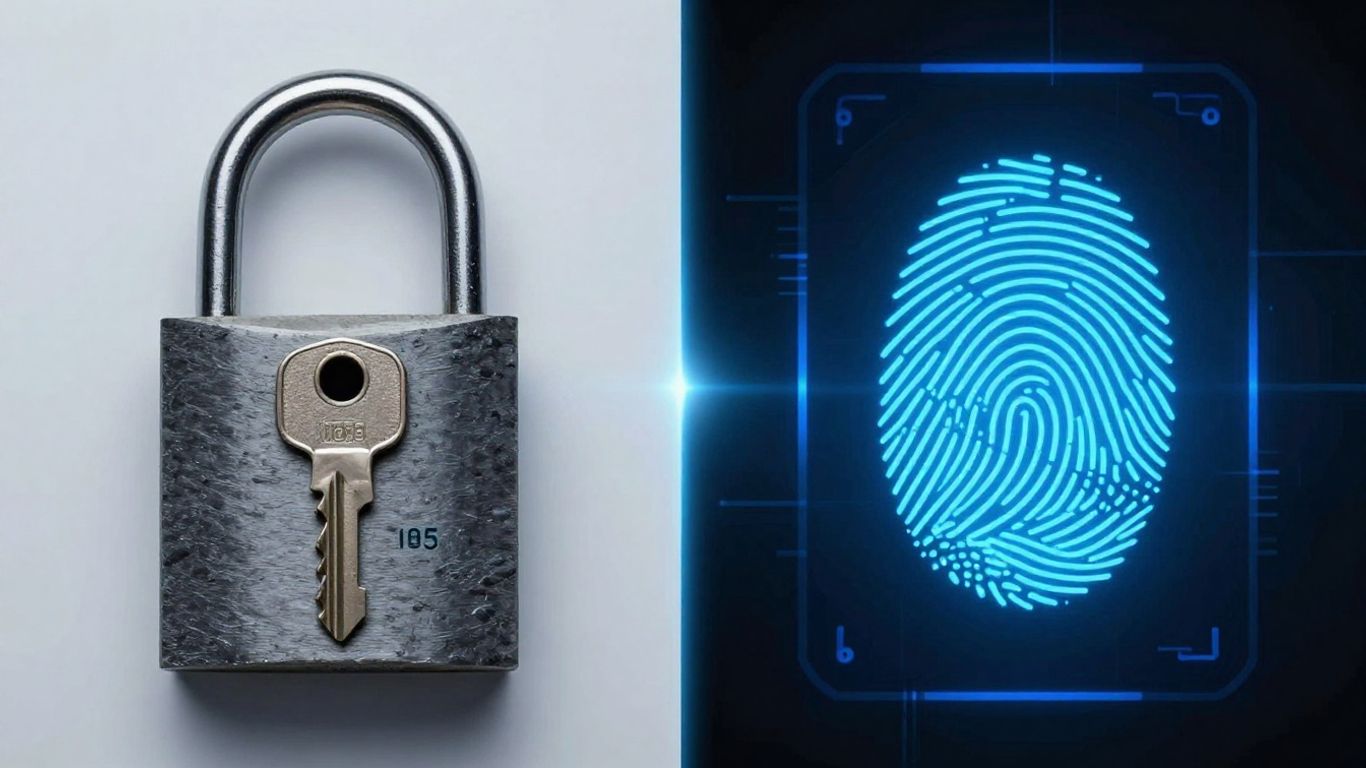
Right then, let’s have a proper look at how these passkeys stack up against the old-school passwords we’ve all been wrestling with for years. It’s not just about a new bit of tech; it’s about understanding why we’re even looking for an alternative in the first place.
Why Passwords Are Increasingly Vulnerable
Honestly, passwords have had a good run, but they’re starting to show their age. Think about it – we’re expected to remember dozens, maybe hundreds, of unique, complex strings of characters for everything from our bank to our favourite online shop. It’s a recipe for disaster, really. People tend to reuse passwords, or they make them simple enough to remember, which is exactly what cybercriminals are banking on. Data breaches are practically a weekly occurrence these days, and when a company’s database gets compromised, those passwords, often stored in a less-than-perfectly-secure way, are out there for anyone to grab. It’s like leaving your front door wide open.
- Guessing Games: Simple or common passwords are easy targets for brute-force attacks.
- Phishing Pitfalls: We’ve all seen those dodgy emails or texts trying to trick us into typing our login details into a fake website. Passwords are prime targets for this.
- The Breach Bonanza: When a company suffers a data breach, your password might end up in the wrong hands, even if you’ve been careful.
The fundamental issue with passwords is that they rely on something you know, and that ‘something’ is often too easy to guess, share, or steal. This makes them a weak link in the chain of online security.
How Passkeys Offer Superior Protection
Passkeys are built on a completely different foundation. Instead of a secret you have to remember, they use cryptographic keys. Your device holds a private key, and the website or app has a corresponding public key. When you log in, your device uses its private key to prove it’s you, without ever sending that key anywhere. This makes them incredibly resistant to phishing because even if you land on a fake site, your passkey is tied to the real one and simply won’t work. It’s a bit like having a unique, unforgeable digital signature for every service you use. This cryptographic approach offers a more robust and secure method for identity verification compared to traditional passwords. Passkeys leverage device biometrics or your device’s screen lock, adding another layer of security that’s hard for attackers to bypass.
Passkeys vs. Passwords: A Direct Comparison
Let’s break down the key differences in a straightforward way:
| Feature | Passwords | Passkeys |
|---|---|---|
| Authentication | Something you know (e.g., a memorised string) | Something you have (your device) combined with something you are (biometrics) |
| Phishing Risk | High | Very Low (keys are origin-bound) |
| Data Breach Risk | High (if stored insecurely by provider) | Very Low (private key never leaves your device) |
| Memorisation | Required (or use of a password manager) | Not required |
| Ease of Use | Can be cumbersome, especially complex ones | Generally quicker and more straightforward |
| Creation | User-defined, often complex | Generated automatically by your device or authenticator |
Ultimately, passkeys are designed to be more secure and easier to use. They sidestep many of the inherent weaknesses that have plagued passwords for decades. While passwords have been the standard for a long time, the shift towards passkeys represents a significant step forward in protecting user accounts from common online threats.
Implementing Passkeys: Practical Considerations for Businesses
So, you’re thinking about making the switch to passkeys for your business. That’s a big step, and it’s smart to think through the details before you jump in. It’s not quite as simple as just flipping a switch, you know? There are a few different ways you can go about it, and each has its own set of pros and cons. Getting this right means a smoother transition for everyone involved.
Device-Bound vs. Synced Passkeys: Which Is Right for You?
When it comes to passkeys, there are generally two main flavours: device-bound and synced. Device-bound passkeys are pretty much what they sound like – they live on a specific device. Think of a hardware security key, like a YubiKey, or a passkey created directly on your phone that isn’t automatically shared elsewhere. The upside here is that they can be really secure, as they’re not relying on cloud storage. However, if that device gets lost or breaks, you could be locked out unless you have a backup plan. On the other hand, synced passkeys are managed by a password manager, either one built into your operating system or a third-party service. This means your passkey can be available across all your devices where that manager is set up. It’s super convenient, but it does mean you’re trusting that password manager service with your credentials. For businesses, the choice often comes down to balancing convenience for your users with the specific security needs of your organisation.
Potential Challenges and Growing Pains
Let’s be honest, new technology rarely rolls out without a few bumps. Passkeys are no different. One of the main hurdles businesses face is user adoption. Not everyone is tech-savvy, and explaining why they need to use a passkey instead of their trusty old password can be a challenge. There’s also the issue of compatibility; while most modern devices and browsers support passkeys, there might be older systems or specific applications within your business that don’t play nicely yet. We’ve seen some initial user complaints about the process, and it’s important to be prepared for those. It’s not always a straightforward setup for every single user, and that’s okay. We just need to be ready to help them out.
Ensuring Accessibility and Recovery Options
This is a big one. What happens if an employee loses their device or forgets their PIN? You can’t just have them locked out of critical systems. That’s why having robust recovery options is absolutely vital. This might involve a secondary method of authentication, or a secure process for account recovery managed by your IT department. It’s about making sure that while you’re upping security, you’re not creating a situation where legitimate users can’t access what they need. Think about how you’d handle a lost password today, and then adapt that process for passkeys. It’s a good idea to look into how passkeys are managed to understand the underlying mechanisms you’ll be working with. A well-thought-out recovery strategy is key to a successful passkey implementation.
The Future of Online Security: Passkeys and Beyond
So, where does all this leave us with online security? Passkeys are a pretty big deal, no doubt about it. They’re a massive step up from the passwords we’ve all been wrestling with for years. Think about it: no more trying to remember that ridiculously complicated password you set up ages ago, or worse, using the same one everywhere. That’s a recipe for disaster waiting to happen.
Will Passkeys Eventually Replace Passwords Entirely?
It’s looking very likely, honestly. Most of the big players, like Google and Apple, are pushing hard for passkeys. They’re built into our phones and computers already, making them super convenient. The goal is to make passwords a thing of the past. It’s not going to happen overnight, of course. There are still plenty of websites and apps that haven’t caught up yet. Plus, some people are still a bit hesitant to switch, which is understandable. But as more services start offering passkeys and people get used to them, passwords will probably fade away.
The Role of Passkeys in a Broader Security Landscape
Passkeys are a fantastic piece of the puzzle, but they aren’t the whole picture. While they’re brilliant at stopping phishing attacks because they’re tied to specific websites, they don’t magically fix every security issue. For instance, if someone manages to steal your browser cookies through malware, they could potentially hijack your logged-in session without needing your passkey at all. It’s a bit like having a super strong lock on your front door, but leaving a window wide open. So, while passkeys are a huge win for user authentication, businesses still need to think about other security measures, like protecting against cookie hijacking. It’s all about layers of security.
Key Organisations Driving Passkey Adoption
Several big names are really pushing this forward. The Fast Identity Online (FIDO) Alliance has been instrumental in developing the standards for passkeys. Then you’ve got the major tech companies like Google, Apple, and Microsoft, who are integrating passkey support into their operating systems and browsers. This makes it much easier for everyday users to start using them. Even government bodies, like the UK’s National Cyber Security Centre (NCSC), are recommending passkeys as a more secure alternative to passwords. It’s a united front, really, all working towards a more secure digital future. It’s good to see these organisations collaborating on something that benefits everyone online. You can find out more about passkeys and their benefits from industry experts.
The way we keep our online accounts safe is changing fast! Forget fiddly passwords; new things like passkeys are making logging in much simpler and more secure. These new methods are designed to be easier for everyone to use while offering better protection against hackers. Want to learn more about how these new security tools work and what’s coming next? Visit our website today to get the full picture!
So, Should Your Business Make the Switch?
Look, passwords have been a pain for ages, right? We all know it. Passkeys seem like a really good step forward, offering better security and making life a bit simpler for everyone. They’re not quite everywhere yet, and there are a few things to get your head around, like how they sync up. But honestly, if a site you use offers passkeys, it’s probably a good idea to use them. For businesses, it’s worth keeping an eye on this. While ditching passwords entirely might be a bit down the line, starting to explore passkeys now could put you ahead of the game and offer your customers a much safer way to log in. It’s not a magic fix for everything, but it’s definitely a big improvement on what we’ve been dealing with.
Frequently Asked Questions
What exactly is a passkey?
Think of a passkey as a digital key for your online accounts. Instead of typing a password, you use your phone or another device to prove it’s really you. It’s like a super-secure, super-easy way to log in without needing to remember any secret codes.
Are passkeys really safer than passwords?
Yes, they are much safer! Passwords can be stolen, guessed, or tricked out of you through fake websites (phishing). Passkeys can’t be stolen like that because they are unique to each website and don’t need to be shared. This makes them a lot harder for bad guys to get to your accounts.
How do passkeys work without me remembering anything?
When you set up a passkey, your device creates a special pair of codes. One code stays safely on your device, and the other is sent to the website. When you log in, your device uses its code to prove it’s you, usually by asking for a fingerprint, face scan, or PIN. The website then knows it’s you without you needing to type a password.
Can I use the same passkey everywhere?
No, and that’s a good thing! Each passkey is made just for one specific website or app. This means if one passkey were somehow compromised (which is very unlikely), it wouldn’t affect any of your other accounts. It’s like having a different key for every door.
What happens if I lose my phone or device?
If you lose the device where your passkey is stored, you might need to use a backup method to get into your account. Many services allow you to use an email code, another logged-in device, or a recovery process. It’s a good idea to set up these recovery options when you first create your passkey.
Will businesses stop using passwords because of passkeys?
Eventually, yes, that’s the goal! Passkeys are a much better and more secure way to log in. While passwords are still around for now, more and more websites and apps are starting to offer passkeys. As more people use them, passwords will likely become a thing of the past for online logins.