Do you need help & advice with Tech Tips / How-To or Cybersecurity?
We’ve all gotten used to those text messages asking us to confirm a login, right? It’s that little bit of extra security, the ‘something you have’ part of the puzzle. But lately, there’s been a lot of talk about whether this method, known as SMS Multi-Factor Authentication (MFA), is really cutting it anymore. It feels convenient, sure, but is it actually keeping our accounts as safe as we think? This article looks into why we might need to rethink our approach and explore alternatives. So, should we stop using SMS MFA and move to app-based authentication?
Key Takeaways
- SMS-based MFA is becoming less secure due to risks like SIM-swapping and interception, where attackers can gain control of your phone number.
- Authenticator apps generate codes locally on your device, making them much harder for attackers to intercept compared to SMS codes sent over networks.
- Moving to app-based authentication helps organisations meet stricter data protection rules like GDPR and HIPAA, which focus on strong access controls.
- Real-world examples show that switching to app-based MFA has successfully stopped cyberattacks that would have succeeded with SMS MFA.
- A planned migration, clear user communication, and support are vital for a smooth transition from SMS MFA to app-based methods, minimising user frustration.
Assessing the Security Risks of SMS-Based MFA
Susceptibility to SIM-Swapping and Interception
SMS-based MFA is open to more risk than many people realise. Attackers can easily target phone numbers with SIM-swapping – by tricking mobile carriers, they can transfer your number to a new SIM card. Once that happens, the attacker starts getting your texts, including MFA codes. That’s not the only problem – messages can also be intercepted while travelling through mobile networks, especially over older protocols. So, if someone wants your account badly enough, SMS isn’t exactly a locked door.
- SIM-swapping relies on social engineering, not just technology.
- Anyone with your phone number and some personal information can try it.
- Intercepted SMS can happen even without SIM-swapping, if someone has access in the right spot in the carrier or through malware.
For anyone who’s ever wondered how their online bank or email got compromised despite a second layer of security, mobile-based attacks are becoming a key reason.
Vulnerabilities in SMS Transmission
SMS just isn’t as safe as it needs to be for modern threats. The text messages you receive go through lots of hands – carriers, sometimes even overseas partners – before they reach your phone. Some problems include:
- Lack of encryption during transmission
- Potential delays or failure to deliver
- Weak links at mobile carrier support desks
Here’s a quick table showing common SMS weaknesses:
| Vulnerability | Description |
|---|---|
| No End-to-End Encryption | SMS can be read by anyone with access along the path |
| Delivery Reliance | Messages are sometimes delayed or never arrive |
| Carrier Support Risks | Phone numbers can be transferred using minimal checks |
Recent Attacks Exploiting SMS MFA
Recent years have seen a bunch of breaches that made the news because someone managed to get around SMS-based protections. Some trends have shown up:
- Phishing texts (‘smishing’) designed to trick users into giving away their codes
- Large-scale SIM-swapping operations targeting employees of specific companies
- Coordinated attacks on telecom support to hijack high-value accounts
In short, while SMS-based authentication was once state-of-the-art, attackers have caught up, making those familiar text messages an easy target for modern cyber criminals.
Advantages of App-Based Authentication for Modern Security
So, why are we even talking about moving away from SMS for two-factor authentication? Well, it turns out that those text messages, while handy, aren’t the most secure thing in the world. App-based authentication, on the other hand, offers a much sturdier defence against the bad guys.
Local Code Generation and Reduced Attack Surface
Authenticator apps work by generating codes right there on your phone. This means the code isn’t travelling over the mobile network where it could potentially be intercepted. Think of it like this: your password is the key to your house, and the code from an app is like a special, temporary handshake only you and the door can do. SMS codes, however, are like sending that handshake instruction through a postcard – anyone who intercepts the postcard can see it.
- Codes generated locally: No transmission over potentially insecure networks.
- Reduced risk of interception: Unlike SMS, the code doesn’t travel externally.
- Faster authentication: Often quicker than waiting for an SMS to arrive.
Enhanced Protection Against Phishing
Phishing attacks are getting pretty clever. They might trick you into giving up your password, but if they don’t also have your phone and the authenticator app running at that exact moment, they’re still stuck. The code changes every 30-60 seconds, so even if they somehow managed to grab a code, it would be useless by the time they tried to use it.
Even if your password gets compromised through a sneaky phishing email, the attacker still needs physical access to your device and the authenticator app to get the current code. This makes many common credential-stealing attacks much less effective.
Cloud Backup and Account Recovery Options
Losing your phone is a pain, right? With some authenticator apps, you can set up cloud backups. This means if your phone goes kaput or gets lost, you can usually get your authentication set up on a new device without too much fuss. It’s a much smoother process than trying to get a new SIM card and hoping your SMS MFA gets re-registered correctly.
| Feature | SMS MFA | App-Based MFA (with backup) |
|---|---|---|
| Code Transmission | Via SMS (network dependent) | Generated locally on device |
| Phishing Resilience | Moderate | High |
| Device Loss | Difficult recovery, potential lockout | Easier recovery with cloud backup |
| Interception Risk | Higher | Lower |
Compliance and Regulatory Perspectives on Authentication
When we talk about keeping digital doors locked tight, regulations are a big part of the picture. It’s not just about good practice; it’s often a legal requirement to protect sensitive information. For instance, the General Data Protection Regulation (GDPR) in Europe really stresses the need for ‘appropriate technical and organisational measures’ to keep personal data safe. Multi-factor authentication (MFA) fits right into this, acting as a strong gatekeeper that makes sure only the right people can get in.
Then there’s the Health Insurance Portability and Accountability Act (HIPAA) in the US, which has strict rules about protecting electronic health information. MFA helps meet these demands by adding an extra layer of security, which is particularly useful when people are working remotely and keeping devices secure can be a bit trickier. It significantly lowers the chances of a data breach.
GDPR and Strong Access Controls
GDPR places a heavy emphasis on safeguarding personal data. It requires organisations to implement robust access controls to prevent unauthorised individuals from viewing or altering sensitive information. MFA directly supports this by verifying a user’s identity through multiple means, making it much harder for attackers to gain access even if they manage to steal a password.
HIPAA and Data Protection in Healthcare
Protecting electronic Protected Health Information (ePHI) is paramount under HIPAA. The regulations mandate specific safeguards to ensure the confidentiality, integrity, and availability of health data. MFA serves as a vital safeguard, adding a critical layer of authentication that significantly reduces the risk of unauthorised access to ePHI, especially in environments where remote access is common.
Demonstrating Compliance in Financial Services
Financial institutions are under intense scrutiny and face a complex web of regulations, such as the Payment Card Industry Data Security Standard (PCI DSS). Implementing MFA isn’t just about security; it’s a key way to prove to auditors that strong access controls are in place. For example, a financial firm might use MFA to restrict access to its payment systems, ensuring that only verified personnel can log in. This not only satisfies regulatory bodies but also provides tangible protection against threats like brute-force attacks. Even if passwords are compromised, the additional authentication factor acts as a strong deterrent.
Regulations aren’t just bureaucratic hurdles; they are frameworks designed to protect individuals and organisations from the fallout of data breaches. Adopting strong authentication methods like MFA is a proactive step towards meeting these obligations and building trust.
Real-World Outcomes: Migrating from SMS MFA to Authenticator Apps
So, what actually happens when companies ditch SMS for app-based authentication? It’s not just about ticking a security box; there are tangible benefits and, let’s be honest, a few bumps along the road. We’ve seen plenty of organisations make this switch, and the results are pretty telling.
Case Studies of Prevented Breaches
It’s one thing to talk about theoretical risks, but it’s another to see how moving away from SMS MFA has actually stopped bad actors in their tracks. Take, for instance, a financial services firm that was targeted by a sophisticated phishing campaign. Attackers managed to snag a bunch of employee passwords, but because the company had already moved its users to an authenticator app, the stolen credentials were useless. The attackers couldn’t get past the second factor – the code generated on the employee’s phone. This single move prevented a potentially massive data breach and saved the company a fortune in fines and reputational damage. It really highlights how even a seemingly small change can have a big impact. We’ve also heard similar stories from healthcare providers, where stolen credentials could have led to serious breaches of patient data, but the MFA app acted as a solid wall.
Lessons Learned from Industry Transitions
Moving away from SMS MFA isn’t always a perfectly smooth ride. One big takeaway from various industry transitions is the importance of clear communication. When Cisco Meraki announced its move away from SMS MFA by November 17, 2025, they outlined a phased approach to help users adapt. This kind of heads-up is vital. Companies that just flip the switch often face a lot of user frustration. Another lesson is about the apps themselves. While many TOTP-compliant apps work, recommending one with cloud backup, like Duo Mobile, can save a lot of headaches down the line. Losing a phone shouldn’t mean losing access to everything, and cloud backup is the key to avoiding that. It’s also worth noting that some users might struggle with the initial setup of TOTP, so having good support documentation is a must. For example, understanding common errors when implementing Time-based One-Time Passwords (TOTP) can help streamline the process for users avoiding TOTP mistakes.
Impact on User Experience and Security Posture
Initially, some users grumble about having to change their login habits. Nobody likes being told they have to do something new, right? But, in the long run, the security improvements are undeniable. The risk of SIM-swapping attacks, where criminals trick mobile carriers into transferring a phone number to a new SIM card, is practically eliminated. Plus, codes generated by authenticator apps aren’t sent over the potentially insecure SMS network, making them much harder to intercept. While the initial setup might take a few extra minutes, most users find that using an authenticator app quickly becomes second nature. The peace of mind that comes with knowing your accounts are significantly more secure is a pretty big win. It’s a trade-off: a little bit of initial effort for a much stronger security posture overall.
The shift from SMS-based MFA to app-based solutions is more than just an upgrade; it’s a necessary evolution in how we protect digital identities. While SMS offered convenience, its inherent vulnerabilities have become too significant to ignore in today’s threat landscape. Authenticator apps provide a more robust defence mechanism, generating codes locally and reducing the attack surface considerably.
Transition Strategies to Move Away from SMS MFA
Waving goodbye to SMS-based MFA can seem daunting, but you’ll get a lot more security for your effort. Making the switch doesn’t have to wreck your day-to-day business, either, as long as you’ve got a proper strategy in place. Different organisations have already made this move with carefully planned rollouts—some phases are tricky, but most users settle in faster than expected.
Phased Migration Approaches
A step-by-step migration helps avoid disruption:
- Awareness Phase: Let your users know change is coming. Use login banners, email reminders, and direct prompts. Highlight the deadline (for example, after November 17, 2025, SMS MFA is no longer available) and why the switch boosts their safety.
- Soft Lock Period: For a brief window, after successful SMS login, automatically redirect users to set up app-based MFA (like TOTP) before they carry on. Give people an ‘opt out’ for this session, but notify them they’ll be re-prompted next time.
- Hard Lock (Enforcement): Once the final date passes, SMS logins redirect straight into the app-based setup wizard. Users must finish TOTP setup or they won’t be able to access their account.
A sample timeline:
| Phase | Timing | User Experience |
|---|---|---|
| Awareness | Sept 22 – Nov 3 | Info banners, emails, voluntary setup |
| Soft Lock | Nov 3 – Nov 17 | TOTP setup required after login |
| Hard Lock | Nov 17 onward | TOTP setup mandatory before accessing |
Educating and Supporting End Users
Switching MFA methods can create confusion if left unexplained. Support your users with:
- Simple, clear instructions right in the login process.
- Guidance on recommended apps (e.g., suggest those with cloud backup for easy recovery).
- Open communication channels—set up a temporary help desk or dedicate support staff for migration questions.
- Short training videos or FAQ documents that walk through registration, managing methods, and recovery steps.
Ensuring Smooth Adoption and Minimal Disruption
You want as few headaches as possible for you and your users. Here’s how to keep it straightforward:
- Test the TOTP setup process yourself (and with a small pilot group) before everyone else switches.
- Remind users that codes will now be generated on their own device, not sent via SMS—which makes the system safer.
- If your system allows, enable overlap: users can register TOTP before disabling SMS, reducing risks of lockout during the transition.
- Gather feedback during rollout and adjust support or prompts as needed.
- Review your policies for recovery in case someone loses their device—cloud backup, recovery keys, or support contacts.
Moving away from SMS-based MFA protects accounts from SIM-swapping and phishing, but it’s only effective if everyone knows how to set up and use their new app. One upfront effort now can save hours of fixing account lockouts later.
For those interested in how attackers sometimes bypass MFA—and how shifting to app-based methods helps counter threats like session hijacking—effective defence strategies can shed more light on why this migration matters.
User Experience: Registration and Account Management Enhancements
Streamlined Registration Processes for MFA
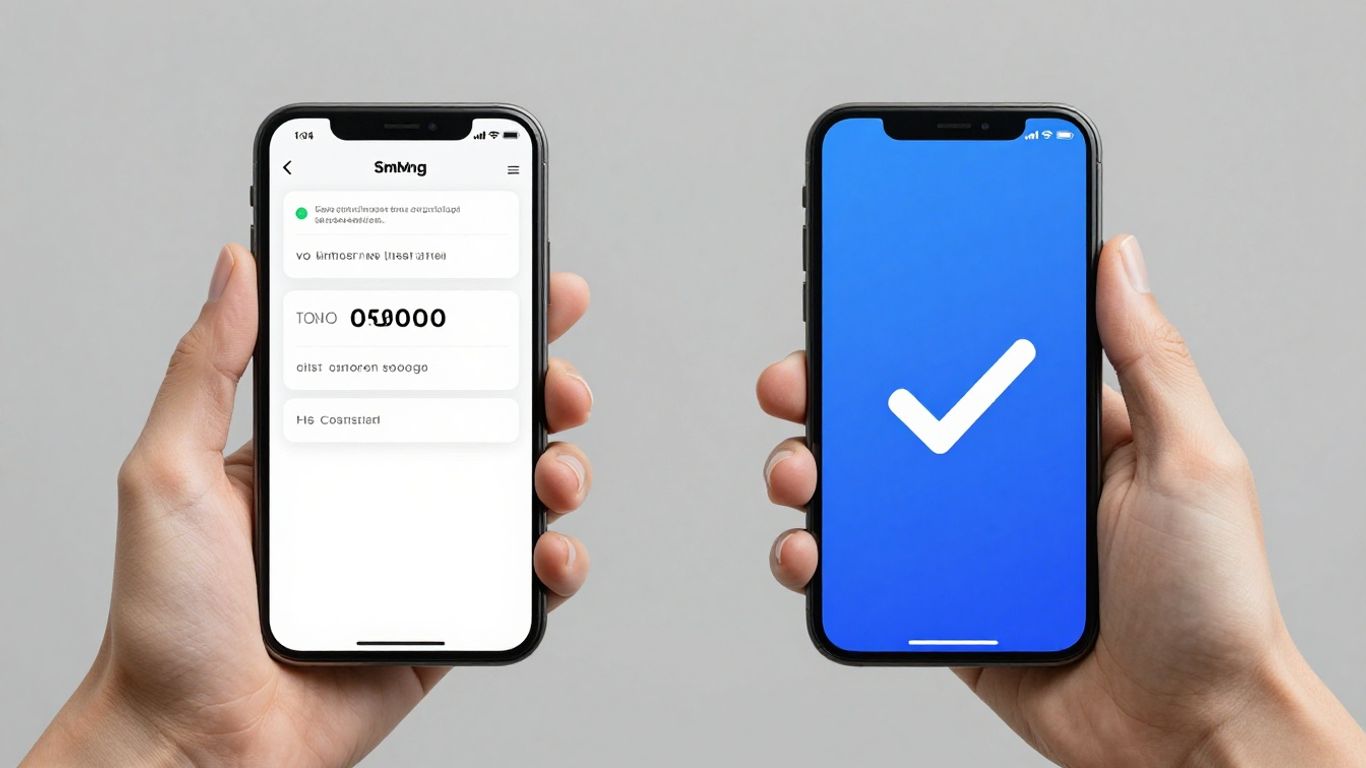
Getting users set up with app-based multi-factor authentication (MFA) shouldn’t feel like a chore. The days of clunky, multi-step processes are thankfully fading. Modern systems are making it much simpler. Think of it like this: instead of filling out a lengthy form for every single thing, you now have a more guided experience. It’s about getting you from zero to secure with fewer clicks and less confusion. The goal is to make the initial setup so straightforward that users actually complete it without getting frustrated.
Here’s a typical flow you might see:
- Initial Prompt: When you first sign in after the change, you’ll likely be prompted to set up your new security method.
- App Download & Scan: You’ll be directed to download a recommended authenticator app (like Google Authenticator, Microsoft Authenticator, or Authy) and then scan a QR code displayed on your screen.
- Confirmation: A quick confirmation step in the app and on the website verifies that everything’s linked up.
- Completion: And that’s pretty much it! You’re now using app-based MFA.
This simplified approach means fewer users abandon the setup midway, which is a win for both the individual and the organisation’s security.
Managing Authentication Methods in User Profiles
Once you’re set up, managing your security settings needs to be just as easy. Your user profile is becoming the central hub for all things identity-related. This means you can easily see what authentication methods you have active, add new ones, or remove old ones if you change your phone or get a new device. It’s all about giving you control and clarity over how you access your accounts.
For instance, you might find a dedicated ‘Security Settings’ or ‘My Profile’ section where you can:
- View your currently active MFA methods (e.g., authenticator app, perhaps an old SMS number you haven’t removed yet).
- Add a new authenticator app if you get a new phone.
- Change your default authentication method if you prefer one over another.
- Remove old or unused methods to keep your account clean and secure.
Best Practices for Enabling App-Based Authentication
To make the switch as smooth as possible, organisations often follow a few key principles. It’s not just about turning on the technology; it’s about making sure people can use it effectively.
- Clear Communication: Letting users know why the change is happening and what they need to do is half the battle. Explaining the security benefits in simple terms helps.
- Phased Rollout: Instead of forcing everyone to switch overnight, rolling it out to small groups first allows for troubleshooting and feedback.
- Accessible Support: Having clear channels for users to ask questions or get help if they run into problems is vital. This could be a dedicated helpdesk or a knowledge base with FAQs.
| Feature | SMS MFA | App-Based MFA |
|---|---|---|
| Initial Setup Time | Moderate | Quick |
| Ongoing Management | Simple (if phone is active) | Easy via user profile |
| User Control | Limited | High |
Addressing Common Concerns with App-Based Authentication
Switching to app-based MFA—like authenticator apps—often raises questions for users and IT teams. While these apps cut down on the risks seen with SMS codes, they’re not perfect. Some main worries keep coming up, so here’s a closer look at the most common ones and how to handle them.
Device Loss and Account Recovery
Losing a phone or device that holds your authenticator app can feel stressful, but there are good ways to handle it:
- Use an authenticator app with cloud backup turned on. This usually lets you restore your MFA codes on a new device with little effort.
- Note down or securely store recovery codes offered during MFA setup. These are your lifeline if you lose device access.
- For work or sensitive accounts, check if your IT team has an account recovery process. This often means proving your identity and then re-activating MFA on your new device.
| Recovery Option | Effort Needed | Typical Time to Regain Access |
|---|---|---|
| Cloud Backup | Low | Minutes |
| Manual Recovery Codes | Medium | Up to 1 hour |
| Admin/IT Support Process | High | Few hours to a day |
If you set up backup or recovery methods before losing your device, regaining access is much quicker and less frustrating.
User Accessibility and Inclusivity
Not everyone is comfortable with mobile apps or even owns a smartphone. App-based MFA can become a barrier if solutions aren’t made accessible.
Here’s what helps make things more inclusive:
- Offer desktop-based authenticator options or browser plugins.
- Make sure apps work with screen readers and offer large-text mode.
- Provide clear, plain-language guides for setup and recovery, avoiding technical jargon.
- Consider exceptions or alternative MFA methods for users with specific needs, like physical security keys.
Support Channels for Transition Issues
Even with a solid plan, issues come up when moving away from SMS. Having support in place can make a huge difference:
- Set up a dedicated help desk line or email during the migration.
- Prepare easy-to-follow troubleshooting guides for the most common snags: failed setup, lost device, syncing problems.
- Use in-app or online chat for quick fixes—many users prefer instant help over waiting for an email reply.
- Remind users to test their new app before SMS MFA is turned off for their account.
App-based authentication is a big step up in terms of security, but only if users feel supported and the day-to-day experience doesn’t get worse. Looking ahead, simple recovery tools, a range of user-friendly MFA methods, and responsive support will help everyone stay safer and less anxious about the change.
Worried about the safety of app-based logins? We understand. Many people have questions about how secure these systems really are. We’ve put together some answers to common worries about using apps to log in. If you’re curious about keeping your digital life safe, check out our website for more details and helpful tips.
So, What’s the Verdict?
Look, nobody likes change, especially when it comes to logging into things. SMS codes have been around for ages, and they’re pretty straightforward. But let’s be honest, they’re not exactly Fort Knox anymore. With the rise of clever scams like SIM swapping, those text messages aren’t as safe as they used to be. Moving over to an authenticator app might seem like a bit of a faff at first, but it’s a much sturdier lock on your digital door. It’s a sensible step to take, especially with deadlines looming. So, while it might take a few minutes to set up, making the switch to app-based authentication is really the way forward for keeping your accounts that bit more secure.
Frequently Asked Questions
Why are we stopping the use of text message codes for security checks?
Using text messages for security codes, like SMS MFA, is becoming less safe. Bad actors can trick phone companies into giving them your phone number, a trick called SIM-swapping, or they can sometimes intercept messages. This means your security code might fall into the wrong hands. Moving to app-based codes is like switching from a postcard to a sealed, coded letter – it’s much harder to get at.
What's better about using an app for security codes?
Apps create special codes right on your phone that change all the time. These codes aren’t sent over the internet where they could be snooped on. This makes them much harder for hackers to steal compared to text messages. Plus, if you lose your phone, many apps let you back up your codes so you don’t get locked out.
What happens if I don't switch to an app by the deadline?
If you haven’t switched to an authenticator app by November 17, 2025, you’ll be guided through setting one up the next time you try to log in. You won’t be able to get into your account until you complete the app setup. It’s best to make the switch before the deadline to avoid any login trouble.
Can I still use SMS codes if I really prefer them?
Unfortunately, no. For everyone’s safety, SMS codes will no longer be an option after November 17, 2025. We really encourage you to set up an authenticator app with a cloud backup feature as soon as you can. This way, if you ever lose your phone, you can still get back into your account.
What if I lose my phone or it breaks?
That’s a great question! If you use an authenticator app that offers cloud backup (like Duo Mobile), you can usually restore your codes on a new device. It’s