

Do you need help & advice with Construction IT or Microsoft 365?
With Microsoft ending support for Windows 10 on 14th October 2025, construction firms across the UK need to act. Waiting until the last minute isn’t a good idea—unsupported systems attract cyber threats, compliance issues, and technical headaches. If your business relies on Windows 10 for project management, site work, or office admin, now’s the time to get ready for the change. This article breaks down what the Windows 10 end of life impact construction firms should expect, and what steps you should take to keep your business running smoothly.
Key Takeaways
- Windows 10 support ends on 14th October 2025—no more updates or fixes after that.
- Outdated systems put your business at risk of cyber attacks, data breaches, and compliance failures.
- Many construction firms will need to upgrade hardware, as older devices may not run Windows 11.
- Planning ahead helps avoid project delays, costly downtime, and staff confusion.
- Recycling old devices responsibly and training your team are important parts of a smooth upgrade.
Understanding the Windows 10 End of Life Impact on Construction Firms
The approaching end of support for Windows 10 marks a big shift for UK construction businesses. After 14 October 2025, updates, patches, and technical support from Microsoft will stop. Any construction firm still running Windows 10 past this date faces some real risks, both for daily operations and long-term stability. Let’s break down exactly what you might be up against.
Key Security Vulnerabilities Post-2025
Without ongoing patches, vulnerabilities in Windows 10 can be found and used by malicious actors. Construction firms handle large projects, contracts, and sensitive client records, making this a serious issue. Some major worries include:
- Increased exposure to malware, ransomware, and phishing attacks.
- No fixes for newly discovered bugs or holes.
- Older antivirus tools may stop working or lose effectiveness.
| Security Threat | Pre-EOL (with updates) | Post-EOL (unsupported) |
|---|---|---|
| Ransomware risk | Medium | Very High |
| Phishing vulnerabilities | Moderate | High |
| Malware infection | Lower | Significantly higher |
Losing support means that every new vulnerability discovered after October 2025 is a potential open door to your firm’s systems—no locks, no alarms, no way to call for help.
Compliance Risks in Construction Projects
Construction firms often work with strict regulatory requirements. Up-to-date, supported software is a legal expectation in many project contracts, not just a good practice. The end of Windows 10 support introduces these compliance headaches:
- Potential breaches of data protection rules (like GDPR)
- Difficulty passing audits for NHS projects, government work, or partner insurance schemes
- Increased cost of compliance as unsupported systems need complicated (and costly) workarounds
For many, the reality is clear: staying on Windows 10 brings clear compliance problems, which can hit your bottom line and reputation. This is especially true since, as explained in increased expenses and decreased productivity, unsupported Windows opens the door to further inefficiencies.
Operational Disruption from Outdated Systems
Let’s be honest, nobody in construction likes project delays. Old, unsupported systems can add to them in plenty of ways:
- Loss of access to new software tools designed for construction teams
- More site workarounds as apps and devices break without warning
- Growing IT support costs and frustrated teams dealing with avoidable tech problems
It all adds up to real disruptions:
- Struggling to share documents with architects or surveyors using newer platforms.
- Projects slowed by system crashes at critical stages.
- More time spent on avoidable troubleshooting (instead of billable project work).
The end of Windows 10 means you’re gambling with the stability of your IT—every minute wasted on patching up problems is a minute stolen from building work.
Cybersecurity Threats Facing Construction Businesses

Construction isn’t the first industry people think of when you mention cyber threats, but in recent years, these companies have become serious targets for attacks. The end of Windows 10 support opens up a very real risk, especially for firms relying on older software or scattered site setups. If you’ve ever paused to wonder if a digitally-connected digger could be compromised, now’s the time to worry.
Why Construction Firms Are a Target
- Many construction firms manage projects across multiple locations, so data moves between offices, sites, and subcontractors. That makes a weak point harder to defend.
- There’s often a mix of new and old hardware running at once, leaving IT teams patching gaps rather than building strong digital walls.
- Project data in construction is valuable—designs, bids, and customer information are all of interest to cyber criminals.
With the CSRB coming in 2026, there’s even more focus on the need to safeguard digital systems beyond the basics.
Historical Data Breaches in the Sector
Let’s not gloss over it: construction has already seen major incidents. Some notable cyberattacks in related sectors include:
| Case | Impact |
|---|---|
| Jaguar Land Rover (2023) | £50 million lost weekly over a month |
| Co-op Group (2024) | Data leak of 6.5m customers, £206m hit |
While not all breaches make headlines, plenty of smaller firms have lost project data, delayed site work, or paid hefty ransoms. Sometimes, it takes just one unpatched system to open the door.
Mitigating Cyber Risks Before the Deadline
- Patch and update everything as often as possible, not just the central office PCs.
- Map out all devices, including tablets, remote systems, and even site Wi-Fi hardware.
- Have everyone use strong, unique passwords and enable multi-factor authentication.
- Train employees on recent phishing tactics—criminals adapt, and so should you.
- Make contingency plans for the worst-case scenario: backups, incident response, and clear communication.
Without regular updates and a strong security plan, older systems quickly become an open invitation to attackers. Don’t let legacy IT create an unnecessary risk for the team on site or in the office.
Workplace Productivity and Legacy Systems in the Construction Industry
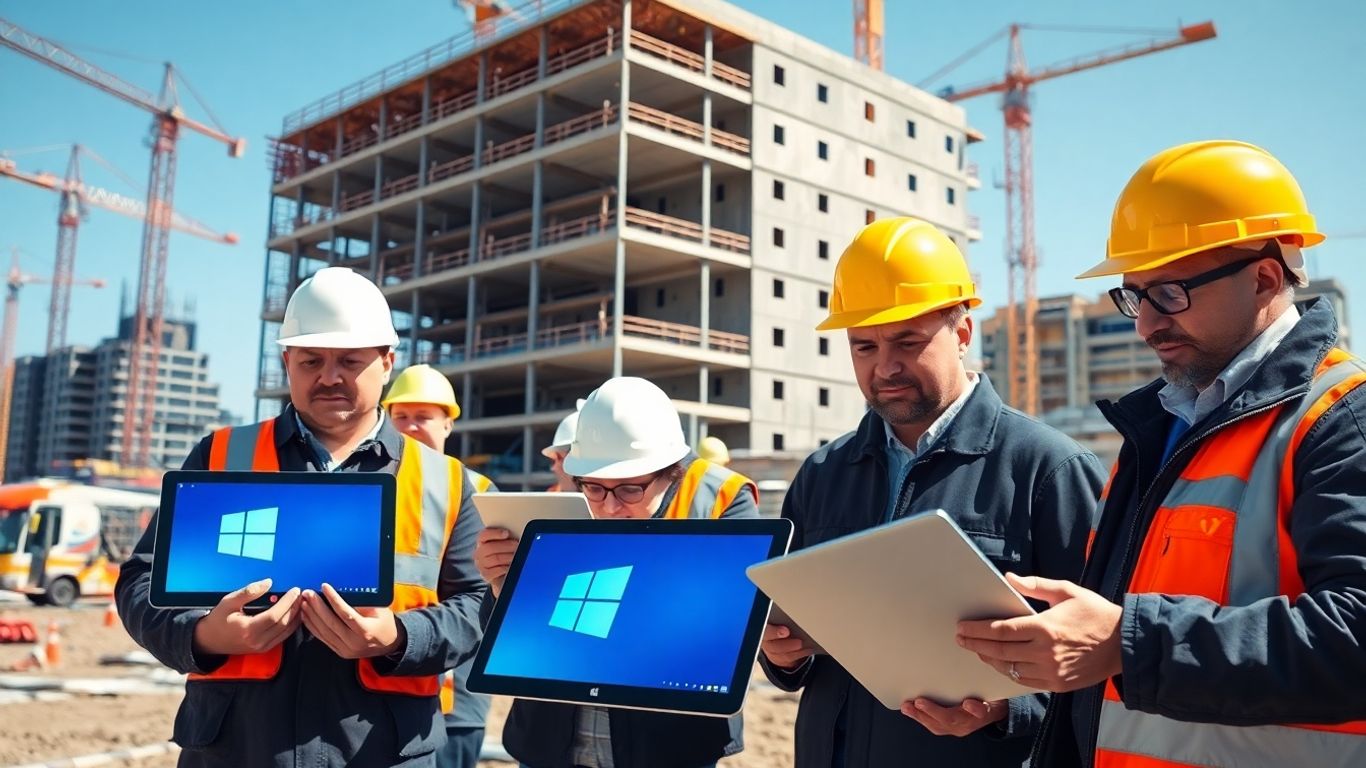
The construction sector across the UK has spent years wrestling with sluggish processes and inefficient systems. Outdated technology, including legacy Windows 10 machines, causes regular headaches for project managers and site teams. When these systems lag behind, entire projects slow down, and the risks grow the closer we get to October 2025.
Performance Issues Linked to Technical Debt
When technical debt stacks up, construction firms find themselves spending more on old systems rather than building for tomorrow. Recent reports show:
| Statistic | Percentage |
|---|---|
| Firms affected by technical debt | 90% |
| Experiencing downtime due to it | 51% |
| Facing compliance issues | 48% |
| Only acting when something breaks | 50%+ |
- Slow computers mean longer wait times for reports and plans.
- Routine software crashes result in lost data and staff frustration.
- Patchwork fixes divert budget away from innovation and project delivery.
If half your team’s day is spent waiting for files to open or update, it’s time to reconsider whether the "cost savings" of holding off on new systems is really saving anything at all.
Barriers Posed by Outdated Software
Old Windows 10 setups no longer support the latest digital tools used for schedules, compliance, and collaboration—so tasks that should be quick become drawn-out battles. Digital snagging apps, cloud sharing, and compliance platforms demand up-to-date systems. Construction teams stuck with out-of-support operating systems find themselves cut off from these vital improvements. If you want to avoid falling behind on industry innovation and efficiency, it’s not enough to just muddle through with legacy software.
Some common problems include:
- Limited access to new project management platforms.
- Incompatibility with modern construction compliance tools.
- Security risks that block connections to client networks.
The Cost of Downtime for Project Delivery
Every time an old PC fails or a system goes unresponsive, projects inch closer to budget overruns and missed deadlines. Site teams need to access documents and update plans in real time—not sit waiting for unreliable tech to catch up.
- IT outages can halt building work for hours or days.
- Lost productivity increases overtime costs.
- Trust with clients suffers when timelines slip, all due to preventable tech issues.
Construction isn’t just about laying bricks; it’s about finishing on time, keeping clients happy, and making sure teams aren’t wasting hours fighting old software. Waiting to upgrade may be costing more than you think.
Meeting Compliance and Regulatory Obligations in UK Construction
Keeping your construction business compliant gets a lot more complicated when Windows 10 support ends. Suddenly, you’ve got systems that can’t get security updates, which leaves data and critical tools exposed. By October 2025, failing to deal with these issues can start costing you audits, contracts, and customer trust.
GDPR and Data Protection Challenges
If your laptops or desktops still run Windows 10 after support drops, you’re at risk of breaching GDPR rules. Outdated software won’t stop new ransomware or data leaks, but that’s not the only headache:
- You may lose access to security features that keep personal and financial data safe.
- Breaches can force you to report to the ICO, with the risk of fines and public fallout.
- Insurers may refuse to pay out if your tech wasn’t up to scratch.
Here’s a quick look at what’s required and where unsupported systems fall short:
| Requirement | Supported OS (e.g., Windows 11) | Unsupported OS (Windows 10 after 2025) |
|---|---|---|
| Security patches | Yes | No |
| GDPR compliance ticking box | Yes | Usually Not |
| Insurer approval | Yes | Rare |
Failing to update leaves sensitive project and client data vulnerable, and recovery from a breach can be a long, expensive road.
Industry-Specific Regulations and Best Practice
Construction firms have to follow guidance from bodies like the Construction Leadership Council and meet requirements set by clients. Old operating systems make some compliance tasks impossible. Best practice means:
- Sticking to recommended OS and software standards from industry groups
- Regularly updating systems and evidence for site or project audits
- Demonstrating clear policies around device and data management on every project
Firms lagging behind can find themselves passed up on bids, or forced off preferred supplier lists when clients run tech audits.
Audit Failures Due to Unsupported Operating Systems
Regular audits are a fact of construction. With Windows 10 out of support, you’re basically waving a red flag at auditors:
- Failed compliance checks can result in work stoppages or lost certifications.
- Repeat findings make it harder (and more expensive) to win future projects.
- You may have to produce written evidence of upgrades, hardware tracking, and staff training before passing an audit.
A surprising number of firms wait for something to break before fixing it, but this approach rarely ends well. It’s better to get ahead, set a clear upgrade plan, and document every step – so audit season isn’t a scramble.
If in doubt, talk to IT advisors early. Sorting compliance now means you won’t get caught out when auditors come calling after October 2025.
Assessing Device Compatibility and Planning Your Transition
Switching from Windows 10 isn’t as simple as just pressing “update.” Construction firms need a clear plan to figure out which machines can actually run Windows 11, and which can’t. Leaving this until the last minute nearly always leads to unnecessary costs and massive project headaches.
Evaluating Hardware Requirements for Windows 11
First things first: not every device you own will run Windows 11. Microsoft has set strict minimum specs, including a supported processor, TPM 2.0 chip, and a certain amount of RAM. Older desktops and laptops common on sites may not make the cut.
Here’s a quick comparison:
| Requirement | Windows 10 | Windows 11 |
|---|---|---|
| CPU | 1GHz, 1 core | 1GHz, 2 cores, 64-bit, compatible list |
| RAM | 2GB (32-bit)/4GB | 4GB |
| Storage | 16GB/32GB | 64GB |
| TPM | Optional | TPM 2.0 required |
| UEFI & Secure Boot | Rarely used | Mandatory |
Ask your IT team to run Microsoft’s PC Health Check tool or try community scripts to assess compatibility across all assets. More detail on security and compatibility can be seen on system upgrade risks.
Inventory Audits and Lifecycle Management
It’s a good excuse for a full kit audit. This isn’t just about checking hardware – it’s a chance to check warranty status, assess repair histories, and see if older devices are worth upgrading. Take stock:
- Make a complete list of all Windows 10 devices on and off site (including tablets and site laptops).
- Note purchase dates, repair records, and current user roles for each device.
- Tie each device into your lifecycle plans so nothing slips through the cracks next time.
Most construction companies are surprised by how many forgotten or legacy devices are still quietly running important site processes. Don’t leave these unchecked during migration – they could be a hidden risk.
Upgrade Versus Replace: Making the Right Choice
Once you know what you’ve got, you’ve got a choice:
- Upgrade in place: For newer devices that pass the compatibility check, a direct upgrade may make sense.
- Replace: If a machine fails on CPU or lacks TPM 2.0, replacement may be more cost-effective than workarounds.
- Alternative routes: Don’t ignore cloud work tools or virtual desktops for non-critical stations, especially if budget is tight or purchase cycles are already stretched.
Some firms try "just one more year" with old kit, but this can bite back with lost time, failed software updates and more expensive fixes mid-project. Don’t forget, some devices only need inexpensive upgrades to meet minimum specs, while others are just too old and best recycled. Consider the broader benefits: sustainability and responsible e-waste management line up well with modern business priorities, as discussed in modernising your business IT.
Strategic Steps for a Smooth Operating System Upgrade
A structured approach to upgrading from Windows 10 is not just nice to have—it’s the only way to avoid disruption on your sites. If you plan things right before the deadline, you’ll keep projects on track and teams working.
Backing Up Crucial Construction Data
Before you do anything else, make a complete backup of all important data. Construction projects involve files that are irreplaceable—site plans, contracts, compliance docs, project emails. A solid backup strategy protects you from costly mistakes or data losses during the move.
- Use cloud storage like OneDrive or SharePoint to avoid losing anything if there’s an upgrade hiccup.
- Double-check that your backups are current and cover every critical folder.
- Plan for backups before and after the upgrade for peace of mind.
Backing up your data isn’t about ticking a box; it’s the difference between a routine upgrade and a total disaster recovery job.
Minimising Disruption to Onsite and Office Teams
Keeping people productive while switching operating systems can be tricky. Delays and confusion hurt deadlines, so take a proactive approach:
- Schedule upgrades outside of peak working hours—think weekends or evenings.
- Prioritise devices most critical to site or office operations so any snag hits the least sensitive roles.
- Let teams know exactly when updates will happen so they’re not caught off guard.
- Offer quick support, including on-site help if needed, so small hiccups don’t snowball.
Here’s a quick comparison of possible disruption levels:
| Upgrade Step | Potential Downtime | Who’s Affected |
|---|---|---|
| Data backup & prep | Low | IT/Project admins |
| OS upgrade process | Moderate | All users per device |
| Post-upgrade troubleshooting | Low-Moderate | End users & IT |
Scheduling strategically keeps your teams moving while IT sorts the upgrades.
Staff Training and Communication Strategies
Even a simple upgrade brings changes. New versions of Windows may look and behave differently—especially with security features and workflow tweaks. Training and clear communication are key:
- Run short training sessions for core tools workers use every day.
- Prepare cheat sheets or quick-reference guides for new Windows features.
- Keep everyone in the loop with emails or briefings, so no one feels left behind.
- Have a channel for quick questions—nobody wants to wait days for an answer.
The more questions you answer upfront, the less time your teams waste adjusting and the fewer mistakes that creep in.
If you’ve handled an earlier transition, such as upgrading after Windows 7’s retirement, you’ll know these steps work well. If not, now’s the time to draw from real-world upgrade options tested by businesses before.
Taking a careful approach lets your construction firm move forward smoothly—and makes sure no project stalls because of an IT hiccup.
Sustainability and Responsible IT Disposal in Construction
When construction companies shift away from Windows 10, old hardware piles up quickly. How firms handle this can make a real difference for both their environmental record and data security. Too many teams just stick unused laptops in cupboards or skip proper disposal to save time, but that’s a risky move in today’s world.
Disposing of Old Hardware Ethically
Don’t just bin those end-of-life machines. Instead, it pays to:
- Wipe all drives using secure erasure tools before disposal
- Use certified recycling partners who handle electronic waste to UK standards
- Request certificates of destruction confirming that data and hardware are dealt with properly
| Best Practice | Benefit |
|---|---|
| Secure Data Wiping | Prevents data leaks |
| Certified Recycler | Reduces landfill waste |
| Proof of Disposal | Demonstrates compliance |
Discarding IT equipment responsibly isn’t just about ticking a box—poor disposal leaves you open to data breaches and environmental fines.
The Environmental Benefits of Device Recycling
Recycling old kit doesn’t just keep firms legal, it slashes carbon emissions and waste by giving components a second life. In construction, where sustainability targets are now standard, this is one area where ticking the green box genuinely makes sense.
- Salvages precious metals and raw materials for reuse
- Keeps hazardous materials, like lead or mercury, out of landfill
- Supports a positive reputation with clients who expect greener supply chains
Many device manufacturers and IT partners now take back old equipment as part of upgrade deals. Check their recycling policies before you commit.
Building a Greener IT Approach Post-Upgrade
Once hardware refreshes are finished, construction firms should set policies that keep future upgrades sustainable.
- Select new devices with energy efficiency and recyclability in mind
- Develop an internal standard for what happens to old kit—never leave this to chance or personal judgement
- Work with IT and sustainability leads to keep up with changing tech and environmental rules
Long-term, this approach saves hassle, keeps auditors happy, and helps firms stand out in tender processes where low-carbon working is now a firm requirement. Don’t treat responsible IT disposal as a chore—it’s a smart, forward-thinking move that feeds into wider sustainability targets.
If you’re not sure where to start, consider whether a clean install with the latest firmware makes sense for your next upgrade—sometimes performance gains can spare hardware from becoming e-waste just yet.
Alternatives and Contingencies for Non-Compatible Devices
Not every computer in the construction industry can handle Windows 11. Some old devices just don’t have the right specs, leaving firms with tough decisions as Windows 10 support ends in October 2025. If your kit’s out of date, it’s time to look at your options so your sites don’t grind to a halt.
Leveraging Extended Security Updates
For some, swapping out hardware simply isn’t possible overnight. Microsoft offers Extended Security Updates (ESU), a paid stopgap giving you security updates for Windows 10. ESUs can get expensive—costs rise every year—but they might tide you over while you plan a bigger upgrade. Here’s a quick look at typical ESU costs:
| Year | Estimated Cost per Device |
|---|---|
| 2025 | £60 |
| 2026 | £120 |
| 2027 | £240 |
- Only a temporary fix—ESUs run for a max of three years.
- Still leaves you without new features or technical support.
- Auditors and clients may have concerns about compliance status.
Extended security might help for now, but it’s best not to rely on it too long. Start budgeting for proper replacements.
Exploring Cloud-Based and Hybrid Solutions
Construction firms now have more choices than buying new laptops or desktops. Services like virtual desktop infrastructure or Windows 365 let staff access secure work environments through the cloud. This can be a real game-changer if you need_
- Remote access from different locations or devices
- Easy scaling up or down for temporary project teams
- Budget control without big upfront hardware spend
A few quick pros and cons:
- No need for major hardware refresh – almost any device can connect
- Regular security and backup come built-in
- But you’ll need reliable internet and must pay ongoing subscription fees
These options reduce capital costs and may avoid the headache of dodgy contracts with outdated hardware. You can see how smart IT support is helping businesses adapt with modern solutions such as HaaS.
Preparing for the Next Technological Shift
Change in construction IT never stops. Don’t just think about this Windows upgrade—plan for what’s next:
- Document device lifecycles so you know what’s due for refresh.
- Standardise compatible hardware where possible to simplify future migrations.
- Set regular training for your teams, so each new tech feels less overwhelming.
Taking a step back, it’s clear that addressing non-compatible kit now puts your business in a much stronger spot for whatever comes after Windows 11.
Transitioning from Windows 10 won’t be quick or easy if your tech’s lagging behind, but with thought and a clear plan, you’ll avoid disruption and be better prepared for tomorrow’s demands.
If your device isn’t supported, don’t worry. We have other ways to help you stay connected and protected. Check out our website to see what other options are available for your needs. If you have questions or need support, our team is happy to help you find a suitable solution. Visit us today to learn more and get started!
Conclusion
So, that’s the long and short of it. The end of Windows 10 support is coming up fast, and for UK construction firms, it’s not something you can just ignore. If you leave it too late, you could end up with security problems, compliance headaches, and computers that just don’t do what you need them to. Start looking at your kit now—see what needs upgrading, what can be replaced, and what might need a bit more planning. It might feel like a hassle, but sorting it out early will save you a lot of stress down the line. Plus, it’s a good excuse to get rid of those old machines that have been gathering dust in the corner. Don’t wait until the last minute—future you will thank you for it.
Frequently Asked Questions
When will Microsoft stop supporting Windows 10?
Microsoft will end support for Windows 10 on 14th October 2025. After this date, there will be no more security updates, bug fixes, or technical help for any version of Windows 10.
What happens if my construction firm keeps using Windows 10 after the deadline?
If you keep using Windows 10 after support ends, your computers will be more open to viruses and hackers. You could also fail data protection checks and face problems with software that no longer works properly.
How do I know if my devices can run Windows 11?
You need to check your computers for things like a TPM 2.0 chip, Secure Boot, and a newer processor. Microsoft has a free PC Health Check tool to help you see if your devices are ready for Windows 11.
What should I do if my current computers can't run Windows 11?
If your devices are too old, you may need to buy new ones. You can also look at cloud-based options or use Microsoft’s Extended Security Updates for a short time, but this is only a temporary fix.
How can my firm upgrade without stopping work on our projects?
Plan your upgrades during quieter periods. Back up all important files, let your team know about the changes, and give staff training. This helps keep things running smoothly on site and in the office.
Is there a responsible way to get rid of old computers?
Yes, you should recycle or donate old devices instead of throwing them away. Many IT companies can help you wipe data and recycle computers safely, which is better for the environment.