Do you need help & advice with Business Continuity or Construction IT?
Discovering your construction business has been hit by ransomware is a gut punch. Suddenly, your projects, your data, everything is locked up. It’s a terrifying moment, but panicking won’t help. What you need is a clear plan, right from day one. This article breaks down the immediate steps and strategic thinking needed to get your construction firm back on its feet after a ransomware attack. We’ll cover what to do after ransomware attack construction, focusing on getting you operational and secure again.
Key Takeaways
- Isolate affected computers and systems straight away to stop the ransomware spreading further. This is the very first thing you need to do.
- Figure out how bad the damage is. You need to know what systems are hit, how the attackers got in, and if any important data was taken.
- Decide if paying the ransom is an option. Talk to experts, look at your backups, and consider the risks before making any decisions. It’s not a simple choice.
- Get your systems back online. This usually means using your backups, but also making sure everything is updated and secure before you reconnect.
- Tell the right people what’s happening. This includes your own staff, clients, and any regulatory bodies that need to know, following clear communication rules.
Immediate Containment And Assessment
Right, so the worst has happened – ransomware has hit the company. It’s a shock, no doubt about it, but panicking won’t help. The absolute first thing you need to do is stop it from spreading any further. Think of it like putting out a fire; you need to contain it before it engulfs everything. This initial phase is all about damage control and figuring out exactly what you’re dealing with.
Isolating Infected Devices
This is your immediate priority. If you know which computers or servers are showing signs of infection – like encrypted files or those ransom notes popping up – you need to get them offline, fast. Don’t just turn them off willy-nilly, though. The best approach is to disconnect them from the network. Pull the network cable, or if it’s a wireless connection, disable the Wi-Fi. The goal here is to prevent the malware from jumping to other machines or shared drives. It might be tempting to shut down a machine completely, but experts often advise against it initially, as it can wipe away valuable forensic data that might help later.
- Disconnect any visibly infected computers from the network cable.
- Disable Wi-Fi on suspect devices.
- Avoid shutting down machines unless advised by IT or cybersecurity specialists.
Assessing The Scope Of The Attack
Once you’ve started isolating, you need to get a handle on how bad it is. This means figuring out which systems are affected, what kind of data might have been compromised, and how the attackers got in. This isn’t a job for just anyone; it usually involves your IT team, possibly with external cybersecurity experts brought in to help. They’ll be looking for the ‘how’ and the ‘what’.
Understanding the full extent of the breach is vital. It informs every decision that follows, from who to notify to how you’ll recover.
Here’s a rough idea of what needs to be checked:
- Affected Systems: List all servers, workstations, and cloud services that show signs of compromise.
- Data Impact: Identify what types of data are encrypted or potentially exfiltrated (stolen).
- Attack Vector: Determine the initial point of entry – was it a phishing email, an unpatched software vulnerability, or compromised login details?
Identifying The Entry Point
Knowing how the attackers got in is key to stopping them and preventing it from happening again. Was it an email with a dodgy attachment that someone opened? Did a piece of software have a known security hole that wasn’t fixed? Or perhaps a password was weak or stolen? Pinpointing this ‘entry point’ helps you close that specific door and reinforce your overall security. It’s like finding out how a burglar got into your house so you can make sure that window or door is properly secured.
| Potential Entry Point | Likelihood | Action Required |
|---|---|---|
| Phishing Email | High | User training, email filtering |
| Unpatched Software | Medium | Patch management review |
| Weak Passwords | High | Password policy enforcement, MFA |
| Third-Party Access | Low | Vendor security review |
Strategic Decision-Making Post-Attack
Right, so the dust is starting to settle a bit after the ransomware hit. Now’s the time to get serious about what we do next. This isn’t just about fixing computers; it’s about making smart choices that affect the whole company, from our finances to our reputation. We need to figure out if paying the ransom is even an option, and honestly, it’s a tough call. Then there’s the whole team – we need to keep everyone in the loop, especially those who need to know what’s happening to keep the business running. Getting advice from people who do this for a living is probably a good idea too, rather than just guessing.
Evaluating Ransom Payment Options
This is probably the most immediate and difficult decision. Do we pay? There’s no easy answer. On one hand, paying might get our data back quickly, assuming the attackers are honest, which is a big ‘if’. On the other hand, paying can fund future criminal activity and doesn’t guarantee we’ll get everything back or that they won’t come back for more. We need to weigh the cost of the ransom against the cost of downtime and data loss. It’s a gamble either way, and we need to consider the legal implications too. Some jurisdictions have rules about paying ransoms.
Consulting Cybersecurity Experts
Trying to handle this alone is a bad idea. We need professionals who understand the ins and outs of these attacks. They can help us figure out exactly what happened, how bad it is, and what the best way forward is. These experts can guide us through the technical recovery, advise on the ransom decision, and help us communicate with the right people. Think of them as our guides through this mess. Getting proper advice can save us a lot of time, money, and headaches down the line. It’s worth looking into cybersecurity incident response services.
Notifying Internal Stakeholders
Keeping our own people informed is just as important as dealing with the technical side. Management needs to know the situation so they can make informed decisions. Department heads need to understand how this affects their teams and operations. We should have a clear, consistent message for everyone. This isn’t about causing panic, but about transparency and letting people know what steps are being taken. A simple internal memo or an all-hands meeting might be necessary to explain the situation and outline the plan, even if it’s just a preliminary one at this stage.
Technical Recovery And Restoration
Right, so the dust is starting to settle a bit after that ransomware mess. Now, the real work begins: getting things back to normal, but smarter this time. It’s not just about plugging things back in; it’s about making sure we don’t get hit again.
Restoring Operations From Backups
This is where those backups we’ve been religiously (or maybe not so religiously) making come into play. The first thing is to be absolutely sure the backups themselves aren’t infected. Nobody wants to restore a system only to find the malware is still lurking. We need to check them thoroughly. Then, it’s a case of picking the right backup – usually the last known good one before the attack hit. It’s a bit like finding a needle in a haystack, but with more digital dust.
- Verify backup integrity: Scan all backup sets for any signs of malware before initiating a restore.
- Prioritise critical systems: Get the essential project management software, accounting systems, and communication tools back online first.
- Phased restoration: Bring systems back online one by one, testing each thoroughly before moving to the next.
We need to be patient here. Rushing the restore process could mean we miss something, and that would be a real setback.
Implementing System Updates
While we’re getting things back, it’s the perfect time to patch up any holes the attackers might have used. This means updating all software, operating systems, and any plugins we use. Think of it as boarding up windows after a break-in. We also need to make sure everyone’s passwords are changed and that multi-factor authentication is switched on everywhere it can be. It’s a bit of a pain, but it’s better than another attack.
Utilising Decryption Tools
Sometimes, if we’re lucky, the attackers might actually provide a decryption key. This is rare, and you can’t rely on it, but if they do, we’ll need to use specific tools to run it. These tools can be tricky to use, and getting it wrong could mean our data is lost forever. We’ll need our IT folks, or maybe some external help, to handle this carefully. It’s a last resort, really, but if it works, it saves a lot of hassle compared to restoring from scratch.
| System Type | Recovery Time Objective (RTO) | Recovery Point Objective (RPO) |
|---|---|---|
| Project Management Software | 24 Hours | 4 Hours |
| Financial Systems | 48 Hours | 8 Hours |
| Email & Communication | 12 Hours | 1 Hour |
Communication And Disclosure Protocols
Right, so the dust has settled a bit after the ransomware hit, and now we need to talk to people. This isn’t just about telling everyone what happened; it’s about being smart about it. Who needs to know, what do they need to know, and when do they need to know it? Getting this wrong can cause more problems than the attack itself, believe me.
Internal Stakeholder Updates
Keeping your own team in the loop is pretty important. People are going to be worried, and they need facts, not rumours. Start with a clear, simple message acknowledging the situation. Then, provide regular updates, even if it’s just to say ‘we’re still working on it’.
- Initial Alert: A quick note to say an incident has occurred and we’re investigating.
- Progress Reports: Regular, factual updates on containment and recovery efforts.
- Actionable Advice: Any instructions for staff, like not opening suspicious emails.
It’s easy to get caught up in the chaos of an incident, but a structured approach to internal communication can make a huge difference. It helps maintain order and ensures everyone is working from the same set of facts.
External Client Notifications
Clients are going to be asking questions, especially if this affects project timelines or site access. You need a plan for this. Be upfront about any potential delays or impacts on their work. It’s better they hear it from you, with a clear explanation, than find out through the grapevine.
- Impact Assessment: Clearly state how the incident affects their project.
- Revised Timelines: Provide updated schedules if necessary.
- Mitigation Steps: Explain what you’re doing to get things back on track.
We need to make sure our communication with clients is clear and timely, especially when project schedules might be affected. You can find more about effective construction communication.
Regulatory Reporting Requirements
Depending on the type of data compromised and where you operate, there are likely rules about who you have to tell. This could be anything from data protection authorities to industry regulators. Missing these deadlines or not providing the right information can lead to fines, so it’s not something to ignore. We need to know what our obligations are for reporting incidents to relevant authorities.
- Identify Applicable Regulations: Determine which laws and rules apply to your situation.
- Timely Reporting: Adhere to strict notification deadlines.
- Accurate Disclosure: Provide all required details about the breach.
Enhancing Future Resilience
Right, so the dust has settled a bit after that ransomware mess. Now’s the time to really think about how we stop this from happening again, or at least make it much harder for them. It’s not just about fixing what broke; it’s about building a stronger foundation for the future. We need to look at our whole setup, from the ground up.
Conducting Full Security Evaluations
This means a proper, deep dive into our current security measures. We can’t just assume things are okay. We need to identify weak spots, not just where the attackers got in this time, but anywhere they could get in. This involves checking all our systems, networks, and even how our staff use technology. Think of it like a building inspection, but for our digital infrastructure. We need to know exactly what needs reinforcing.
Improving Backup Solutions
Our backups are supposed to be our safety net, but after an attack, you realise just how important they really are. We need to make sure our backups are not only frequent enough but also stored securely and separately from our main network. Testing them regularly is also a must. If we can’t restore our data quickly and cleanly, we’re in trouble. We should look into different backup strategies, maybe cloud-based options or even air-gapped systems, to make sure they’re truly safe from ransomware.
Employee Security Awareness Training
Honestly, a lot of these attacks start with a simple mistake, like clicking a bad link. We need to get everyone on board with security. Regular training sessions that are actually engaging, not just boring slideshows, are key. We should cover things like spotting phishing emails, using strong passwords, and understanding why certain security protocols are in place. Making sure every employee understands their role in cybersecurity is probably the single most important step we can take.
We need to move beyond just having security software and start building a security-first culture throughout the entire company. This isn’t a one-off fix; it’s an ongoing commitment.
Here’s a quick look at what we should be focusing on:
- Vulnerability Scanning: Regularly scan all systems for known weaknesses.
- Access Control Review: Make sure only the right people have access to sensitive data.
- Patch Management: Keep all software and operating systems up-to-date with the latest security patches.
- Incident Response Drills: Practice our response plan so everyone knows what to do when something goes wrong. This helps us recover from a crypto-ransomware attack more effectively next time.
We also need to think about our supply chain. Are our vendors secure? What happens if one of them gets hit? Building resilience means looking at the whole ecosystem we operate in, not just our own four walls. It’s about being prepared for the unexpected, because in this business, the unexpected seems to happen quite a lot.
Adapting Incident Response For Construction

Let’s be honest, construction sites are busy, often chaotic places. Things can go wrong, whether it’s a cyber issue or something on the ground. Having a plan for when incidents happen is pretty important. It’s not about expecting the worst, but about being ready. We need to make sure our incident response plan actually fits the reality of a construction business, not just some generic office setup.
Prioritising Threat Scenarios
We can’t plan for everything, so we need to focus on what’s most likely and what would cause the biggest problems for us. For a construction firm, this means thinking beyond just IT problems. We need to consider things like:
- Ransomware attacks that lock up project files or payroll systems.
- Theft of sensitive site data, like blueprints or client information.
- Major equipment failures that could stop work and pose safety risks.
- On-site accidents that disrupt operations or affect worker safety.
- Natural disasters that could damage sites or halt projects.
We should map these out and think about their potential impact. For example, a ransomware attack could mean project delays and financial loss, while site data theft might compromise client details.
Mapping Incidents To Response Plans
Once we know what we’re planning for, we need to link these threats to specific actions. It’s about having a clear, documented process that everyone understands. This way, when an incident occurs, the team can act quickly and decisively, minimising disruption and potential damage to the business. Think of it like having a clear set of instructions for different emergencies.
Here’s a simple way to think about it:
| Incident Type | Potential Impact |
|---|---|
| Ransomware Attack | Loss of access to project files, payroll disruption |
| Site Data Theft | Compromise of client details, intellectual property |
| Equipment Failure | Project delays, safety risks, financial loss |
| Natural Disaster | Site damage, worker safety, project suspension |
Tailoring Templates To Site Realities
You can’t just grab any old template and expect it to work perfectly. Construction firms have their own unique challenges. We might be dealing with multiple sites, lots of mobile workers, and specific types of equipment. So, when we use a template, we need to tweak it. For instance, if our main risk is a cyber attack on our site access control systems, make sure that’s clearly covered. Or if it’s about losing project data from a site office, that needs to be a priority. We might also need to think about how our contractors and suppliers fit into the plan. It’s about making the template fit our reality, not the other way around.
It’s vital that everyone knows their job before an incident kicks off. This isn’t the time for confusion or fumbling around. We’ll want to map out the key roles – someone to lead, someone for the technical side, and someone for communications. Using something like a RACI chart can really help clarify who does what.
We also need to make sure our response team has people from different departments involved – not just IT. Think about operations, health and safety, procurement, and legal. This gives us a broader view and helps make better decisions.
Maintaining Operational Continuity
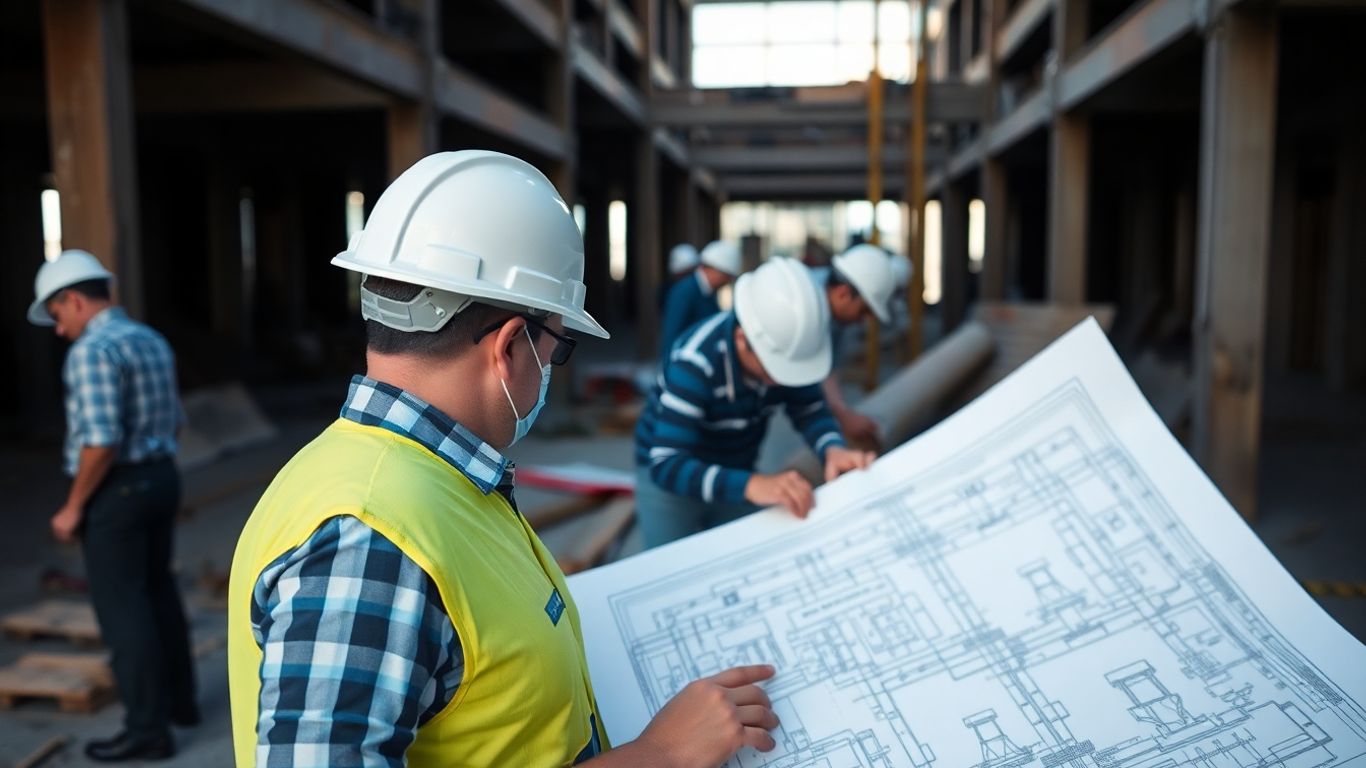
After a ransomware attack, getting back to business as usual isn’t just about fixing computers. It’s about keeping the lights on, the projects moving, and everyone paid. This means thinking beyond the IT department and looking at the whole operation.
Ensuring Cash Flow Stability
Financial health is paramount. When systems are down, invoices might not go out, and payments might not be processed. This can quickly dry up the cash needed for daily operations, like paying wages or suppliers. It’s important to have a plan for this.
- Identify critical payment processes: Know which financial operations absolutely must continue, even in a limited capacity.
- Establish alternative payment methods: Can you process payments manually or through a different system temporarily?
- Communicate with clients and suppliers: Be upfront about potential delays and work with them to manage payment schedules.
A sudden halt in cash flow can be as damaging as the attack itself. Having contingency plans for payroll and essential supplier payments is not optional; it’s a survival tactic.
Securing Critical Equipment
Construction sites rely on a lot of physical gear. If your systems control access to, or maintenance schedules for, this equipment, you need to ensure it remains accessible and functional. This might involve manual checks or alternative ways to manage equipment logs.
- Inventory critical equipment: Know what you have and where it is.
- Develop manual tracking methods: If digital logs are compromised, have paper-based systems ready.
- Liaise with site managers: Ensure they have the information needed to operate equipment safely and efficiently without relying solely on potentially affected digital systems.
Addressing Basic Human Needs
This might sound obvious, but during a crisis, the well-being of your staff is key. This includes ensuring they have access to necessary information, can communicate effectively, and feel supported. For site-based workers, this can also extend to practical needs if site facilities are affected.
- Maintain communication channels: Use alternative methods if primary systems are down. Think about phone trees or group messaging apps not reliant on your main network. Alternative communication systems are vital.
- Provide clear instructions: Staff need to know what to do and who to report to.
- Support staff well-being: Acknowledge the stress of the situation and offer support where possible.
Keeping your business running smoothly is key. We help make sure everything stays online, even when things get tricky. Want to learn how we can keep your operations going without a hitch? Visit our website today to find out more about our reliable IT solutions.
Moving Forward: Building Resilience
So, after a ransomware attack, it’s clear that having a plan isn’t just a good idea, it’s absolutely necessary. We’ve seen how quickly things can go wrong, and how much time it can take to get back to normal. The key takeaway is preparation. Making sure your backups are solid, knowing who does what, and having clear communication lines are all vital. It’s not about stopping every single threat, because that’s pretty much impossible. It’s about being ready to react when something bad happens, so you can minimise the damage and get back to building. Keep that plan updated, practice it, and remember that a bit of foresight now can save a lot of headaches later.
Frequently Asked Questions
What should we do straight after a ransomware attack hits our construction business?
The very first thing is to stop the problem from spreading. This means quickly disconnecting any computers or devices that seem to be infected from the network. You also need to figure out how bad the damage is – which systems are affected and how the attackers got in. It’s like putting out a fire; you need to contain it fast.
Should we pay the ransom if our construction data is locked?
This is a really tough decision. While some businesses pay to get their data back, there’s no guarantee they’ll actually get it. It’s often better to see if you can use your backups to restore everything. Talking to cybersecurity experts can help you weigh the pros and cons, and they can advise on whether paying is the right move for your situation.
How long does it usually take to get back to normal after an attack?
It can take quite a while, sometimes weeks, to get everything back to how it was before the attack. This is why having a good plan for recovery is so important. If your backups are good and you know what you’re doing, you can speed things up, but it’s rarely an instant fix.
What's the most important thing we can do to prevent future attacks?
Keeping your software up-to-date is really important, as are strong passwords and making sure your staff know how to spot suspicious emails. Having good backups that are kept separate from your main systems is also a lifesaver. It’s about building layers of defence.
Do we need to tell anyone if we've been attacked?
Yes, usually you do. Depending on where you are, there are laws that say you must inform people, like your clients or even government bodies, if their data has been affected. It’s also good practice to let your own team know what’s happening so everyone is on the same page. Being open helps maintain trust.
How do we make sure our incident response plan is actually useful for our construction sites?
You can’t just use a generic plan. You need to adapt it to your specific needs. Think about what could go wrong on your building sites – maybe it’s losing project plans or control of site equipment. Make sure your plan covers these unique risks and tells people exactly what to do in those situations. Regularly checking and updating the plan is also key.